
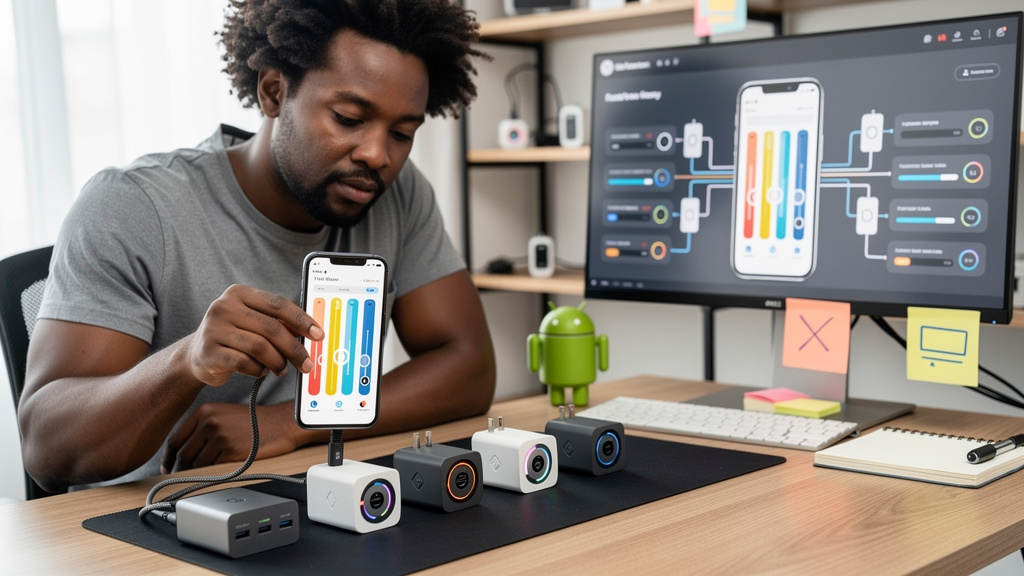
I bought a third USB-C charger last year because the first two would not fast-charge my phone, and the one that finally worked was the cheapest of the three. None of the marketing copy on the box mentioned the spec that mattered. The answer for most modern phones is a charger that supports USB PD PPS (Programmable Power Supply, a USB Power Delivery extension that lets the charger adjust voltage in fine steps instead of fixed levels) with a voltage range that goes high enough to cover a laptop. If you remember nothing else from this article, remember that.
I went through the Android Authority USB-C charging guide, cross-checked against the USB-IF (USB Implementers Forum, the industry group that maintains the USB specification) documentation, and rewrote the buying checklist for someone who does not want to read three pages of voltage tables. Here is what I now check before I buy.
What USB-C actually fixed, and what it did not
The switch to USB-C was supposed to make charging boring. One connector, one cable, one standard. To a first approximation that worked: USB-C is now on phones, tablets, laptops, headphones, game consoles, and a long list of other devices. The EU mandate (a 2024 regulation requiring common charging ports on small electronics) accelerated that.
What USB-C did not fix is the negotiation between the charger and the device. The charger advertises a set of voltage and current profiles (predefined output levels the charger says it can supply), and the device picks one. If the profiles match what the device wants, charging happens at the maximum rate. If they do not, the device falls back to the slowest profile both ends agree on, and you wait hours for a phone that should charge in 30 minutes.
Two specifications matter for the negotiation: USB Power Delivery (USB PD, the main fast-charging standard over USB-C) and its PPS extension. Plain USB PD hands the device a small menu of fixed voltages (5V, 9V, 15V, 20V are common). PPS lets the device ask for a specific voltage within a range, in 20-millivolt steps. For a phone, that finer control is what unlocks the fastest charge rates that phone makers advertise.
The three specs to look for on the box
Wattage is the headline number on every charger, and it is the least useful. Three specs actually decide whether your phone charges fast.
- USB PD support. Without this, the charger can only do 5V at low current, which is the slowest USB-C charging mode. Every charger worth buying in 2026 has USB PD, but it is worth confirming rather than assuming.
- PPS support. This is the spec most boxes do not list. PPS is an optional USB PD extension, and not every USB PD charger implements it. If your phone supports PPS (most modern Android phones do), a PPS-capable charger will charge it noticeably faster than a plain USB PD charger at the same wattage.
- Voltage range for PPS. A charger that supports PPS at 3.3V to 11V will fast-charge most phones. A charger that supports PPS at 3.3V to 21V will also fast-charge laptops. If you want one charger for everything, 21V PPS is the version to look for.
The wattage number matters in one specific way: it has to be high enough for the device you care about. A 30W charger will fast-charge any modern phone. A 100W charger will fast-charge most laptops. Anything between is a tradeoff.
How to tell PPS from plain USB PD on the spec sheet
Not every brand prints the PPS range on the box. Some bury it on a product page. Some put it in a spec table image that is harder to find than it should be. The pattern to look for is a range, not a fixed level.
PPS is typically written as something like 3.3-21V / 5A (meaning PPS can deliver any voltage from 3.3V to 21V, up to 5 amps, which works out to 105W). Plain USB PD is typically written as fixed voltages: 5V / 3A, 9V / 3A, 15V / 3A, 20V / 5A (a 100W profile set). The first form is PPS. The second form is not.
If a charger only lists fixed voltages and no range, it does not support PPS. That does not mean it is a bad charger. It means it will charge a PPS-capable phone at plain USB PD speeds, which are slower than what the phone can actually do. For some buyers, that is fine. For most people reading this article, it is not.
There is one wrinkle worth flagging. Some manufacturers list PPS support but specify a narrow range (3.3-5.9V or 3.3-11V). Those chargers will PPS-fast-charge a phone but not a laptop. That is not a defect. It is a design choice, and it is worth matching the range to what you intend to charge.
Multi-port chargers split their power
Most chargers sold today have more than one USB-C port. The rated wattage is the maximum the charger can deliver in total, not per port. A 100W charger with two ports will deliver up to 100W when one device is plugged in, and a different split (typically 65W + 35W, or 45W + 45W + 10W on three-port models) when two or more are plugged in. The split matters if you plan to charge a laptop and a phone at the same time.
Two patterns I have seen:
- Static split. The charger always splits power the same way regardless of what is plugged in. This is the simpler design and is fine for predictable setups.
- Dynamic split. The charger detects what is plugged in and adjusts. This is what you want if you mix and match devices.
Cheap multi-port chargers sometimes advertise the per-port wattage (65W per port) without clarifying that the total is 65W, not 130W. Reading the fine print before you buy saves a real annoyance later.
Trade-offs
A good USB-C charger is not free in any dimension that matters.
- Price. A 100W USB PD PPS charger with 21V coverage costs more than a 30W plain USB PD charger. The 30W version will fast-charge a phone. It will not fast-charge a laptop.
- Size. Higher wattage means more weight. A 100W GaN (gallium nitride, a semiconductor that runs cooler than silicon, allowing smaller charger housings) charger is around the size of a deck of cards. A 30W one is half that.
- Spec transparency. Some brands list every voltage and current profile. Some list “compatible with iPhone, Pixel, Galaxy” and stop there. The second kind is harder to verify, and the verification is the entire point.
- Cable. The cable matters as much as the charger. A USB-C cable rated for 60W will throttle a 100W charger. Look for a cable rated for the wattage you plan to use, ideally with an e-marker chip (a small controller inside the cable that advertises its capabilities to the charger) for anything above 60W.
If you want one charger that fast-charges your phone, your laptop, and most future devices, look for a USB PD PPS charger with 3.3-21V PPS coverage at 5A, with a wattage high enough for your laptop (65W minimum, 100W preferred), and a cable rated for the same wattage. That is the boring answer and the correct one.
Bottom line
The single spec that decides whether a USB-C charger fast-charges your phone in 2026 is PPS support, not wattage. Wattage sets the ceiling. PPS opens the door. A charger that supports PPS at 3.3-21V covers everything short of the most demanding laptops, and one well-rated charger with one good cable is enough for almost everyone. The box will not tell you the answer in most cases. The product page will, if you know to look for a voltage range instead of a list of fixed levels.