
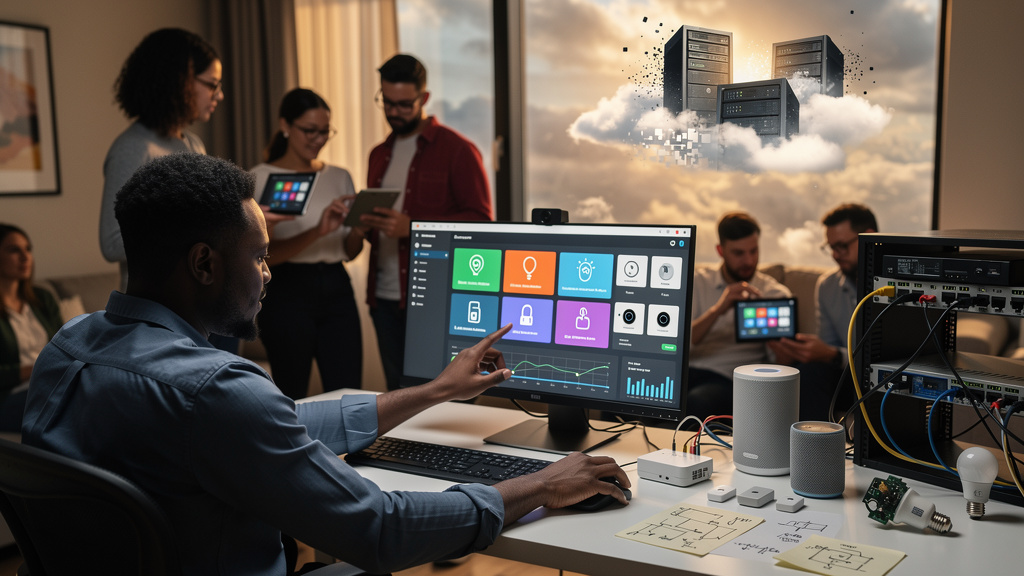
Belkin turned off the Wemo cloud last year. Insteon disappeared overnight in 2023. Google’s Revolv hub got bricked (made permanently nonfunctional through a software update) the same year the company bought it. None of those products were defective when you bought them. The light switch worked. The app worked. The cloud that the app needed to function was the part that disappeared, and when it disappeared, the physical hardware in your wall became a paperweight with a UL sticker.
If that story sounds familiar, it is because the same story is going to keep happening. The smart home industry has built a business model in which the device you bought is a lease on a future server bill, and the server bill is someone else’s decision to keep paying. The good news is that you do not have to wait for the next shutdown to find out which of your switches is going to die. You can replace them now, while they still work, with hardware that does not need a corporate handshake to turn on a lamp.
What the cloud dependency actually does
Most consumer smart home gear is structured like this: your phone sends a command, the command leaves your house, the command lands on a server in a data center somewhere, the server checks your account, the server sends a command back to the device, and the device flips the relay. Every step in that chain is a chance for the system to break. The relay itself does not need any of those steps. The relay is a physical switch that a tiny computer on the device is opening or closing. The cloud is a choice, not a requirement.
You pay for that choice in three ways. First, latency: every command you send has to round-trip through a server, which is fine until the server is slow, and it will be slow sometimes. Second, account lock-in: when the company changes its mind about your product, you do not get a vote. Third, and worst, hardware obsolescence (the device stops working because the software that runs it is no longer supported): a perfectly good piece of hardware can be killed by a software update on a server you cannot reach.
A local-first setup removes the cloud from the chain. Your phone sends a command to a controller on your own network, the controller talks to the device directly, and the relay flips. The company that made the device can disappear and the switch still works.
The migration, in concrete steps
The setup is not trivial. A local-first smart home is more work to assemble than a Belkin starter kit, and it is more work to maintain. If you do not want to spend a weekend on this, do not start. The migration has four steps and a router change.
- Run a local controller. The brain of a local-first home is a small server that runs on your network. Home Assistant (open-source home automation software) is the most popular option. It runs on a Raspberry Pi, an old mini PC, or a Home Assistant Green (a prebuilt device sold for this purpose). The controller is the thing your phone talks to instead of talking to a cloud server. Install takes about an hour if you have ever used a Raspberry Pi. Two hours if you have not.
- Stop buying Wi-Fi-only accessories. Anything that requires a cloud account to set up is going to break when the company that made it changes its mind. The replacements are devices that speak Zigbee 3.0 (a low-power mesh radio protocol for smart home devices) or Z-Wave (a similar mesh radio protocol with better wall penetration). You will need a USB coordinator stick to bridge those radios to your local controller. The IKEA Tradfri and Aqara lines are the cheapest places to start, and both work without an internet connection once they are paired.
- Re-flash the devices you already own. A surprising amount of consumer smart home gear runs on a common chip that supports open-source firmware. ESPHome and Tasmota are the two projects to know. They let you overwrite the factory firmware (the software that ships on the device) with a local-only replacement, so a $10 smart plug that used to require an app and a cloud account will now respond to commands from your Home Assistant controller. Re-flashing takes about 5 minutes per device once you have the software set up.
- Isolate the new network on a VLAN (virtual local area network, a way of splitting one physical network into separate virtual ones). A VLAN is a way to put all your smart home gear on its own subnet (a small private network) that cannot reach the wider internet. Your router almost certainly supports this. The setup blocks any device on the IoT (Internet of Things) subnet from phoning home, which means even a misbehaving device cannot leak data about your house to a server you do not control. This is the step most people skip, and it is the step that makes the rest of the system actually safe.
Trade-offs
Local-first is not free. The setup takes a weekend the first time, and a couple of hours of maintenance every few months after that. You will debug a device that stopped responding to a command at some point. You will read a forum thread at 11 PM trying to figure out why a Zigbee bulb will not pair. The cloud alternative is a polished app and zero of that friction, and the cloud alternative is also the option that bricks your $80 light switch in three years.
The other cost is compatibility. If you are deeply invested in Apple HomeKit, Amazon Alexa, or Google Home, the local-first path will work with some of those platforms but not all of them. Home Assistant has integrations for all three, but the integrations are community-maintained, and they sometimes break when the cloud service changes. If you want a single voice assistant that controls every device in your house without configuration, the local-first path is not the simplest choice.
There is also a real cost in the migration itself. If you have 40 cloud-based devices and you replace them all, you are looking at several hundred dollars of new hardware. You do not have to do it in a weekend. The cheapest path is to start with the devices that are most likely to be killed (anything from a company that has been acquired or is rumored to be struggling) and let the rest age out naturally.
What I would tell past me
If I could send a message to the version of me that bought the first Belkin Wemo starter kit in 2016, I would say three things.
- The cloud is a feature for the manufacturer, not for you. Every cloud-dependent device is a device whose continued operation is someone else’s business decision. Buy hardware that works without the company, or accept that you are renting it.
- Local-first is not as hard as the forum posts make it look. The first Home Assistant install is a learning curve. The tenth device is a 5-minute job. The path is steeper at the start than it is in the middle, and the people writing the forum posts are usually answering the questions that came up at the start.
- Audit your house once a year. Every 12 months, look at the list of devices on your network, identify the ones that depend on a cloud account, and decide whether each one is worth the risk. The cost of the audit is an afternoon. The cost of waiting for the next shutdown is a few hundred dollars of dead hardware.
If you only do one thing from this article, set up a local controller this weekend. The rest of the migration can wait, but the controller is the part that makes every other change easier.