
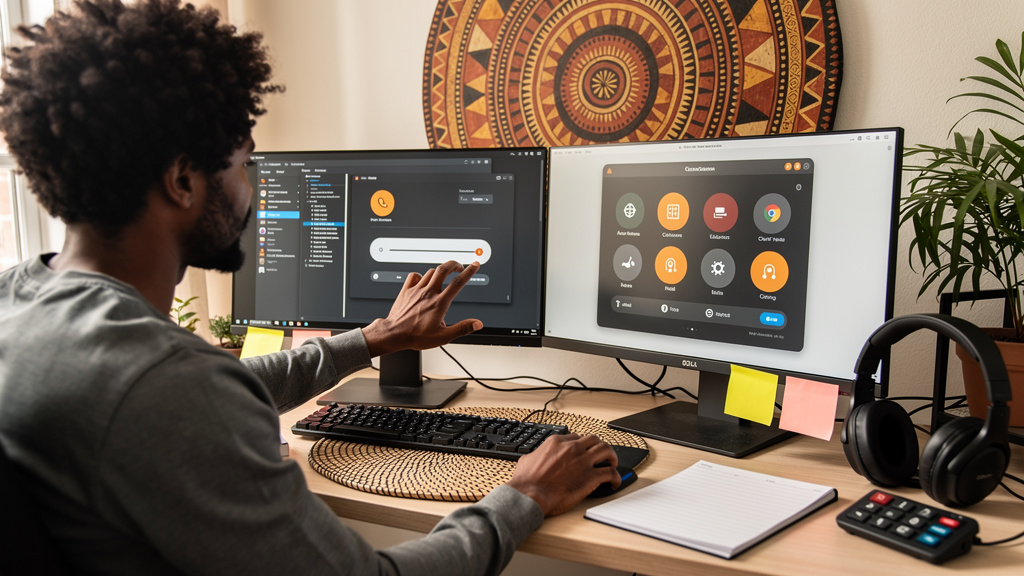
Eight years is a long time to live with a desktop. My Dell laptop rolled past its eighth birthday last spring, and for the entire run it has been an Ubuntu box with the default GNOME desktop. GNOME was never bad. It just slowly became a tax I paid every morning without noticing. The bill came due when I caught myself hitting Super (the Windows key), waiting for the overview, scanning nine workspaces, and forgetting what I was doing. That sequence happens about fifty times a day for me. Each one costs a few seconds. Months of those seconds add up.
The fix was not a new laptop. The fix was a different desktop. I installed Cinnamon on top of the same Ubuntu install I already had, kept the kernel and the package base, and discovered the actual tax had been the desktop all along.
What GNOME was quietly costing me
GNOME is the default Ubuntu desktop because it ships looking decent and stays out of the way for casual users. That polish is not free. Canonical (the company behind Ubuntu) puts the comfortable RAM floor for modern Ubuntu at 6GB, and on hardware that sits at the edge every animation becomes a decision the compositor (the piece of software that draws windows and handles visual effects) makes for you. My 16GB laptop was not memory-bound. It was full-screen-overlay-bound.
The bigger drag was Activities. The Activities overview is GNOME’s flagship feature, and it is the one I used most. Tap Super, get a full-screen launcher, search for an app, and pick it. Useful for newcomers. Less useful for someone who has been using the same nine apps for years. For me, Activities became a tiny app launch I had to perform every time I wanted to grab a window I already knew the name of. Multiply that by 50 a day and the math turns ugly.
GNOME also pushes a lot of customization into extensions. Extensions break when GNOME updates, so I spent a Sunday in March fixing my top bar instead of doing whatever I had planned. I am not going back.
Why Cinnamon felt different in the first hour
Cinnamon ships with Linux Mint and is installable on Ubuntu with one package. The install touches nothing outside the desktop layer. Your files stay where they are. Your kernel stays where it is. Even your login session stays accessible, which matters because you can switch back.
What changed in the first hour was not the hardware. It was where I had to look.
- The panel sits at the bottom the way panels used to sit. Menu on the left, open windows in the middle, system tray on the right with a date in the clock on hover. That layout has not changed in fifteen years, and that is the point.
- Alt-Tab actually switches windows instead of opening a launcher.
- Right-click on the desktop gets you to a settings menu you can read.
- Window decorations include a real minimize button on the left, where every other desktop OS puts it.
The pitch sounds like 2012 nostalgia. The reason it matters is not aesthetic. It is the small costs that go away. Every interface choice that disappears is a piece of attention I get back. I do not notice any one of them. I noticed the cumulative effect within a week.
Yes, it was faster. That is not why I stayed.
Cinnamon is measurably lighter than GNOME, and on older hardware the difference is the difference between daily-driving the machine and treating it like a museum piece. Idle RAM is a couple hundred megabytes lower. The file manager opens instantly. The system tray updates without lag. None of that surprises anyone who has used XFCE or KDE Plasma.
The performance story is not why I stayed. After two weeks I cannot quote a single benchmark number with confidence. What I can quote is the count of Activities overviews I opened in month three: zero. That zero is worth more than any frame rate.
If you only care about RAM, Cinnamon alone does not get you there. You also have to:
- Disable the desktop effects in Cinnamon’s settings panel, which are on by default.
- Be honest about which apps are actually pulling weight. A browser with 200 tabs is the bottleneck on most Linux laptops, not the desktop.
- Avoid Snap versions of Firefox and Chromium on older hardware. The sandbox adds overhead on the exact machines that cannot afford it. APT or Mozilla’s PPA (Personal Package Archive) is faster.
- Pick a lighter file manager if Nemo feels heavy. Thunar is a reasonable second choice.
Cinnamon is the foundation. The rest is housekeeping you have to do anyway.
Trade-offs
Nothing in this article is meant to convince you that Cinnamon is the right desktop for everyone. It is not. Ubuntu’s official tutorials assume GNOME, so when I searched for “how to set X in Ubuntu” about half the hits opened a settings panel that is not on my machine. Snap versions of common apps also misbehave on Cinnamon more often than they do on GNOME, because Snap’s sandbox interferes with the desktop integration in ways I do not fully understand.
A few specifics I wish I had known:
- Firefox and Chromium from Snap run 10 to 20 percent slower on my laptop than the same browsers from APT. The Snap version is also slower to start.
- GTK apps (the toolkit most Linux apps use) and Qt apps (a different toolkit some apps like KDE apps use) do not share a default theme on Cinnamon. The mismatched look is fixable but takes a few minutes.
- Screen sharing on Wayland (the modern display protocol that has mostly replaced X11) is rougher on Cinnamon than on GNOME. If you depend on screen share for work, test it before you commit.
- Major Ubuntu upgrades have occasionally broken my Cinnamon session until the next point release. Restore was a 15-minute job, not a re-install.
None of those are reasons to avoid Cinnamon. They are the costs you accept when you pick a smaller project over the default one.
Rollback is the whole point
The reason I was willing to try at all was that I knew I could go back. Installing Cinnamon does not remove GNOME. From a terminal:
sudo apt install cinnamon-session cinnamon
Log out, click the gear icon at the bottom right of the login screen, pick Cinnamon instead of Ubuntu on Xorg or whatever your default was, and log back in. Your home directory is untouched. Your installed packages are untouched. If you hate it, log out, pick Ubuntu, log back in. Total time to revert: under a minute.
That safety net mattered more than I expected. Most of the GNOME-versus-Cinnamon advice online reads like picking a religion. For me it was a 30-second setting in a login screen.
If I could send one message back to myself
If I could send a message to the version of me who wrote the dawn-of-GNOME-on-Ubuntu blog post in 2018, I would say three things.
- Try the switch at 9 AM on a normal workday, not at 11 PM on a Saturday. You will learn more in one morning than in a weekend of benchmarking.
- Keep GNOME installed for at least two weeks after you swap. Most of what feels broken at first is just Snap or theme noise, and it clears up after a normal update cycle.
- A desktop that gets out of your way for an hour a day is worth more than one that looks great for ten minutes while you set it up. Polished is not the same as productive.
I am staying on Cinnamon. The laptop is faster, which I notice. The bigger win is that I stopped spending the first twenty minutes of every workday fighting my computer to do basic things. That is the upgrade I would tell anyone running GNOME on a tired laptop to try.