
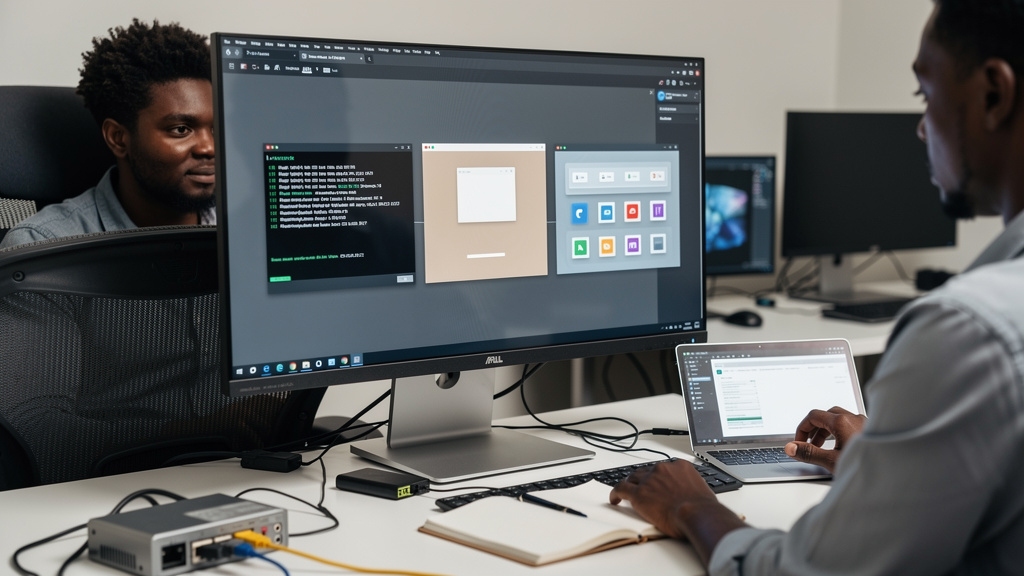
Running a Windows virtual machine inside Linux has always been a series of trade-offs. You get isolation, a real Windows desktop, and the ability to run software that does not have a Linux port. You also get a window that drags like cold syrup, a desktop you cannot resize cleanly, and zero GPU acceleration unless you happen to own a second graphics card and a dummy plug (a cheap HDMI or DisplayPort adapter with no cable attached, used to trick the GPU into thinking a monitor is connected so the host OS does not reclaim it). After about three years of wrestling with this exact setup, the Looking Glass B7 development build is the first thing that has made me stop thinking about the layer between me and Windows at all.
Looking Glass is a small open-source project that solves the part of virtualization everyone gets wrong. Most VM tools (VirtualBox, virt-manager, GNOME Boxes) pipe the guest’s display through the host’s framebuffer (a region of memory that represents the on-screen pixels) and let the host’s compositor (the component of your Linux desktop that draws and arranges windows) draw the result. That is why the guest feels slow even when the CPU has plenty of headroom. Looking Glass takes a different approach. It captures the guest’s framebuffer directly from the GPU using shared memory, then paints it into a borderless window on the host as if it were any other application. The result is a Windows desktop that feels like it is actually running on your Linux machine, because for the purposes of input and display, it basically is.
Why virt-manager and QXL never got me there
The default setup for KVM (Kernel-based Virtual Machine, the Linux kernel’s built-in virtualization engine) is virt-manager plus QXL, with SPICE (a remote display protocol for virtual desktops) shuttling frames back and forth. This works, but it works the way a remote desktop works. Every frame the guest draws has to be encoded, sent over a virtual network, decoded by SPICE on the host, and then drawn into a window. On a clean install with light use, the latency is around 20 milliseconds. The moment you start a game, play video, or scroll a complex web page in the guest, the latency climbs and the display gets a faintly compressed look that never quite disappears.
There is also the resize problem. SPICE does support dynamic resolution changes, but it tends to flicker, refuse to honor the host’s current display ratio, and occasionally leave the guest’s resolution stuck on a value the host can no longer represent. The result is a window that is either slightly off-center or slightly wrong shape, every time. I learned to live with it, then I stopped living with it.
GPU passthrough (the technique of dedicating a physical GPU to a virtual machine so it can drive graphics directly) is the other option people swear by, and it works. The catch is the hardware. You need a second GPU that the host can keep for itself, a CPU and motherboard that support IOMMU (Input-Output Memory Management Unit, a feature that lets the kernel isolate devices for direct assignment to a guest), and ideally a dummy plug so the host does not try to use the passthrough GPU as its own display. If you already have that hardware, GPU passthrough is fast. If you do not, the parts list alone is the cost of a used ThinkPad.
What Looking Glass actually changes
Looking Glass sits in the middle. It does not require a second GPU. It does not require a dummy plug. It does require that both your host and your guest have a working GPU already, plus a small host application and a matching guest driver. Once those are installed, the host application maps a chunk of system RAM that the guest can write its rendered frames into, and the host paints those frames into a borderless window at the host’s native refresh rate. There is no encoding step. There is no SPICE session. The framebuffer is shared memory, and shared memory is fast.
A few things become possible that did not before. The guest display resizes the moment you resize the window on the host, with no flicker and no resolution-mismatch artifacts. Video in the guest plays at full frame rate. The latency between moving the mouse and seeing the cursor move on the guest is around one millisecond on a modern machine, which is the same number you would get from a real Windows install. The borderless window also means the guest and the host can be on different monitors at different refresh rates, and neither one knows the other exists.
The B7 build adds two things that mattered to me personally. The first is per-monitor scaling that respects the host’s display configuration. The guest used to draw at a fixed DPI (dots per inch, a measure of how densely the screen packs pixels, which controls how large text and UI elements appear) regardless of which monitor it was on. If you use a 4K display alongside a 1080p display, the guest either looked tiny on one or huge on the other. B7 scales per-monitor the way a native application would. The second is a stable clipboard sync that survives long transfers. Earlier versions occasionally dropped multi-megabyte clipboard payloads (copies of large log files, screenshots, video URLs). B7 streams them in chunks and confirms each chunk, so a 50-megabyte paste lands intact.
The install path that actually worked
I followed the official Looking Glass documentation, which is straightforward if you have set up a KVM guest before. The host side is a single package available from the project’s apt or dnf repo (the package repositories for Debian/Ubuntu and Fedora/RHEL families respectively), or buildable from source in about a minute. The guest side is an ISO (a disk image file containing an installer) you mount inside the Windows VM. It installs a virtual display driver and a service that pumps frames into the shared memory region. Total time was about fifteen minutes on a fresh Windows 11 guest. No reboot of the host. No reconfigure of libvirt (the Linux toolkit that manages virtual machines). One configuration line in the guest’s XML to enable IVSHMEM (Inter-VM Shared Memory, a virtual device that exposes a region of RAM to both host and guest for fast data exchange).
A few small things are worth knowing up front:
- The guest and the host have to agree on the screen resolution at boot, which means you cannot hot-swap a 4K monitor on a guest that started in 1080p. You can resize the window, but the guest will draw at the maximum resolution the host reports.
- Audio works, but you have to set up a separate pulseaudio or pipewire bridge (Linux sound servers that route audio between applications and devices) to get it. Looking Glass does not carry audio in the framebuffer; that is by design.
- USB passthrough for a USB device like a YubiKey or a Windows-only dongle needs a separate libvirt hook, the same one you would use for any KVM guest.
- File sharing between host and guest is still easiest through a normal SMB share (Windows-style network file sharing) or Syncthing, not through Looking Glass itself.
- The guest does not see the host’s GPU. Anything that needs to query the graphics adapter will report the virtual display. That is fine for almost all software, and confusing only if you are debugging a driver crash inside the guest.
Trade-offs
Looking Glass is the right answer for a specific shape of problem. You want a Linux desktop as your primary environment, you occasionally need a real Windows session for one or two applications, and you do not want to dual-boot. If that is you, B7 is the first version that gets out of the way enough that you stop thinking about the guest as a guest. You click on the Windows window the way you click on any other window. You drag it across monitors. You copy from a Linux terminal, paste into a Windows app, and the clipboard lands where you pointed.
There are a few cases where it is still the wrong tool. If your main workload is a full-screen Windows game at 144 frames per second, you want GPU passthrough with a second card. The shared memory path is fast, but it is not the same as a real GPU attached to the guest. If you only need one Windows application, Wine (a compatibility layer that lets you run some Windows software directly on Linux without a VM) or a native alternative is simpler than any VM at all. If you need to hide the fact that you are running Windows from another piece of Windows software, Looking Glass is not a security boundary; the guest can still see the host’s hardware details through the virtual hardware layer.
A Linux desktop with a Windows window in it
The honest summary is that Looking Glass B7 closes a gap that has been open since the early days of KVM. For years, running a Windows VM on Linux meant choosing between slow software rendering, expensive dual-GPU hardware, or accepting a slightly broken experience. The shared-memory display transport is the right architecture, and B7 is the first release that is stable enough to leave running for weeks at a time without intervention.
If you have a Linux desktop and a Windows guest that you reach for once a week, install B7. Fifteen minutes of setup, and the Windows window stops feeling like a window into another machine. It starts feeling like a window on yours.