
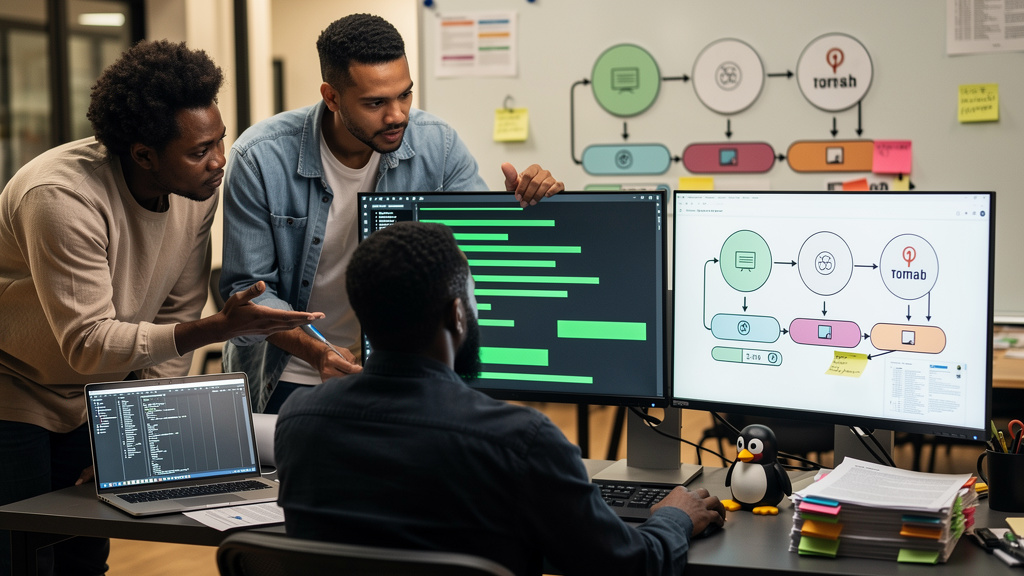
A document processing pipeline is a sequence of automated stages that turns documents into usable information. The stages vary by document, but the bones are usually the same: detect new files, prep PDFs, run OCR (optical character recognition, the step that converts scanned images into machine-readable text), classify what you have, store it, and make it searchable. No single open source tool does all of that well, so production systems are usually a chain of specialists, each handling one stage. I have built three of these for different teams. The pattern is consistent. The mistakes are consistent too.
What a document pipeline actually does
The trigger is a file landing somewhere a process can see. The most common Linux implementation watches a directory using the kernel’s inotify subsystem (a Linux kernel API that notifies user space the moment a file is created, modified, or deleted), then picks up the file and walks it through the chain. By the end, you have searchable text, structured metadata, and an indexed copy you can query.
The chain itself is usually five to seven stages:
- File detection. Watching the filesystem for new arrivals, usually with inotify, systemd.path, or a Python library like Watchdog.
- PDF processing. Inspecting, splitting, repairing, or converting PDFs before anything downstream runs. Poppler, qpdf, and PDFtk are the common picks.
- Image preprocessing. Deskewing, denoising, thresholding, and contrast adjustment on scanned pages before OCR. OpenCV and ImageMagick are the standard tools.
- OCR. Converting scanned images into text. Tesseract OCR is the default for English and most Latin scripts. OCRmyPDF wraps Tesseract and adds the original PDF structure back on top.
- Classification. Deciding what kind of document you have (invoice, receipt, contract, letter) so downstream stages can branch. spaCy and Hugging Face Transformers are the common picks.
- Storage and indexing. Persisting the original document, the extracted text, and any structured metadata. PostgreSQL for the structured side, MinIO for the binary objects, OpenSearch or Elasticsearch for the search index.
- Orchestration and monitoring. Coordinating the stages, retrying failures, alerting when something breaks. Apache Airflow and Celery are the common picks. Prometheus and Grafana for visibility.
You do not need every stage. Most production systems use only the components they need.
File detection is the easiest stage to overcomplicate
The naive approach is a cron job that polls a directory every minute. The cron job works until a thousand files land in a minute and the polling loop falls behind. The right approach is event-driven: subscribe to filesystem events and trigger the pipeline the moment a file lands.
On Linux, inotify is the kernel API underneath most event-driven file detection. You almost never call it directly. You use it through inotifywait (a small command-line tool that watches a directory and prints events as they happen), or you use a language library that wraps the same API. The Python Watchdog library is a good fit if the rest of your pipeline is Python. systemd.path is a good fit if you are already running services under systemd (the standard service manager on most modern Linux distributions). The choice between them is mostly about what your team already knows.
The gotcha is that inotify has limits. By default, each watched directory has a small queue of events. If your pipeline processes faster than the queue drains, you lose events silently. Bump the queue limits via /proc/sys/fs/inotify/max_user_watches and /proc/sys/fs/inotify/max_queued_events before you load test. I have hit this twice in production. Both times the symptom was files sitting untouched in the watch directory with no errors in any log.
PDF processing tools complement each other
Poppler, qpdf, and PDFtk look interchangeable at first glance. They are not. Poppler renders pages and extracts text. It is what you want when you have a PDF that already has a text layer (a hidden searchable text version embedded in the file by whatever software created the PDF) and you want to pull the text out without running OCR. qpdf works at the structural level. It splits, merges, rotates, decrypts, and repairs damaged PDFs without ever rendering a page. PDFtk handles PDF forms and a long list of legacy automation tasks that pre-date qpdf.
In practice, a pipeline uses Poppler for text extraction, qpdf for structure work, and OCRmyPDF (which wraps Tesseract) when the PDF is a scan with no text layer. The right combination depends on what your input documents look like. If 90 percent of them are born-digital PDFs from a known source, Poppler plus qpdf is enough. If 90 percent are scans, you are running OCRmyPDF on most of them.
OCRmyPDF deserves its own paragraph. It adds a text layer to scanned PDFs while preserving the original image and the original structure. The result is a single PDF that looks identical to the input but is now searchable. The output is what most downstream stages want, because the text layer is machine-readable and the page layout is unchanged.
Image preprocessing is where OCR quality is won or lost
A scanned page straight from a cheap scanner has skew, speckle noise, uneven contrast, and sometimes borders and headers you do not want. Running Tesseract on raw scans gives you 70 to 85 percent accuracy on good days. Running Tesseract on preprocessed scans gives you 95 to 99 percent. The preprocessing is the difference.
OpenCV is the standard library for the operations that matter. Deskew rotates pages so the text is horizontal. Adaptive thresholding converts grayscale pages to black and white at a local level, which handles uneven lighting better than a global threshold. Morphological operations (a family of image-processing transforms that erode or dilate connected regions of pixels) clean up speckle noise without losing the text. Background removal crops headers, footers, and margins.
ImageMagick is the right tool for the simpler operations. Convert image format, resize, crop, rotate 90 degrees. It also handles batch operations well through its command-line interface. The split between OpenCV and ImageMagick is roughly “OpenCV for the OCR-critical preprocessing, ImageMagick for the simple conversions.”
The trap I have seen twice is trying to do OCR-critical preprocessing in ImageMagick. ImageMagick does not have adaptive thresholding or deskew that works well on degraded scans. The output looks fine in a viewer but the OCR accuracy is poor. Use OpenCV for the steps that feed Tesseract. Use ImageMagick for the steps that feed humans.
Classification is the stage where most homegrown pipelines stall
A pipeline that processes one type of document is straightforward. A pipeline that processes invoices, receipts, contracts, and letters, and routes each to a different downstream handler, needs a classifier. The naive approach is a rule-based one (filename pattern, sender email, layout heuristics). It works for the first three document types and falls apart at the fourth.
The modern approach is a small fine-tuned transformer model (a neural network architecture, originally designed for language, that can be retrained on a specific classification task using far less labeled data than training a model from scratch). Hugging Face Transformers makes the model half easy. The labeled-data half is the work. You need a few hundred labeled examples per class to get usable accuracy. If you have a few thousand labeled examples, accuracy gets good. Below a few hundred, the model is guessing.
For teams that do not have a labeling budget, the practical answer is to start rule-based, collect a labeled corpus as a side effect of the rule-based pipeline running, and swap in a model once the corpus is big enough. That is months of patience, not weeks.
Storage and indexing is the stage teams under-design
The minimum viable storage story is a directory on a filesystem. It works until you need to query the contents, replicate to a second data center, or restore a deleted file from a backup. By the time you have any of those needs, you want a real store.
MinIO is the standard pick for the binary side. It speaks the S3 API (the same protocol Amazon S3 uses, so the same tools and SDKs work against both), runs on a single node or a cluster, and stores the original PDFs and image files with versioning turned on. PostgreSQL is the standard pick for the structured metadata side. Every document gets a row with its source path, classification, processing timestamp, and a pointer into the object store.
For search, OpenSearch and Elasticsearch are the standard picks. Both are forks of the same upstream. OpenSearch is the open source one with a more permissive license. Elasticsearch has more features behind a paid tier. For a Linux pipeline that does not need ML-driven search, the free tier of either is fine.
The mistake I have seen twice is treating the search index as the system of record. The index is not the system of record. It is a query-optimized view of the data that lives in MinIO and PostgreSQL. If you reindex from those primary stores, you can rebuild the index in hours. If you treat the index as primary, you cannot.
Orchestration is the glue
A pipeline that processes one document at a time is easy to debug. A pipeline that processes ten thousand documents an hour and retries on failure is a different beast. You need orchestration.
Apache Airflow is the standard pick for scheduled and multi-step workflows. You define each stage as a task, set dependencies between them, and Airflow runs the graph on a schedule or in response to a trigger. Celery is the standard pick for distributed task processing. You push jobs onto a queue, workers pick them up, the work happens.
For a small pipeline, a Python script with a queue is fine. For a pipeline that needs to retry failures, alert on stuck tasks, and show you what is happening in production, Airflow is worth the setup cost. The setup cost is real, by the way. A small Airflow deployment is an afternoon. A production-grade Airflow deployment is a few weeks of careful configuration.
Trade-offs
Build-versus-buy is the first decision. Cloud document AI services (Google Document AI, AWS Textract, Azure AI Document Intelligence) handle OCR, classification, and key-value extraction out of the box. The accuracy is usually better than a homegrown pipeline on day one. The per-page cost adds up at volume, and your documents leave your infrastructure, which may or may not be a problem for your compliance posture. For a team processing a few thousand pages a month, the cloud services are the cleaner choice. For a team processing hundreds of thousands of pages, the homegrown pipeline pays for itself.
OCR accuracy is a curve of diminishing returns. Adding preprocessing buys you 5 to 15 percent accuracy. Adding a better OCR engine (PaddleOCR, EasyOCR, the paid Tesseract alternatives) buys you another 2 to 5 percent. Adding language models for post-processing buys you another 1 to 3 percent. Each step is incremental and each step costs engineering time. The right stopping point depends on what your downstream consumers need.
Storage footprint is the third thing to plan for. Originals plus text plus images plus preprocessed versions adds up. A pipeline that keeps every intermediate version for debugging will run out of disk in months. A pipeline that purges intermediates after the next stage succeeds is leaner but harder to debug. Most teams settle on a 30-day retention for intermediates and indefinite retention for originals.
What I would tell past me
If I could send a message back to the version of me that wired the first document pipeline together, I would say three things.
- Start with the input, not the toolchain. Know what your documents actually look like. Are they born-digital or scanned? Single-page or multi-page? Clean type or noisy faxes? The answer changes which tools you need and which you do not.
- Bump the inotify limits before you load test, not after. Losing filesystem events silently is the worst kind of bug. You will not see errors in any log. Files will just sit untouched in the watch directory.
- Treat the search index as a view, not a source of truth. When you reindex from MinIO and PostgreSQL, you can recover from anything. When the index is the only place the data lives, a deletion is permanent.
A document pipeline is one of those things that looks like a weekend project and is actually a few months of careful engineering. The open source pieces are mature and well-documented. The work is in the seams between them, and the production reality of watching the chain actually run on your real documents. Build the smallest version that processes real input, watch it for a month, then decide what to add.