
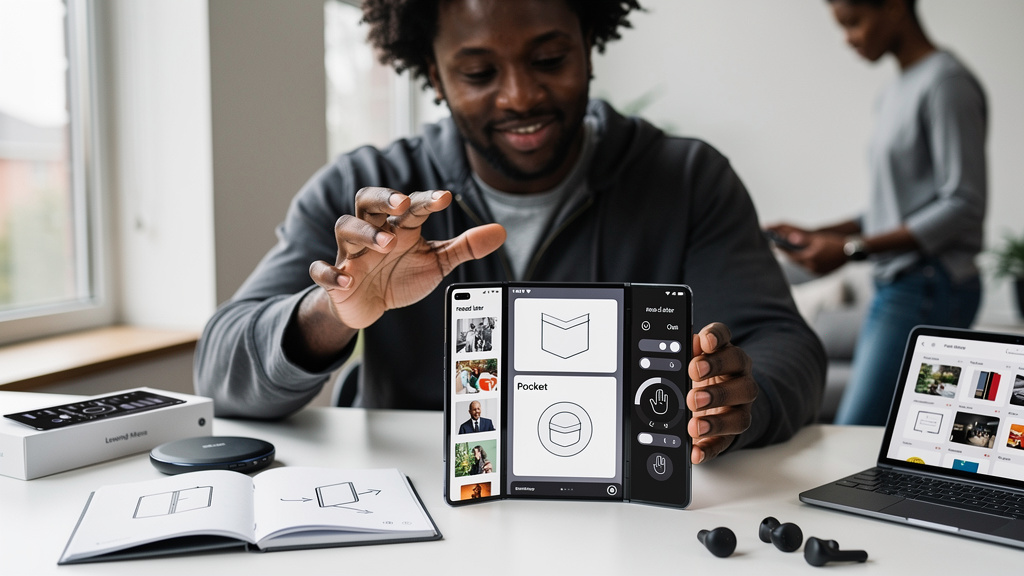
Most reviewers treat the first five minutes with a new phone like a checklist of inbox-zero housekeeping. With the Galaxy Z Fold 8, that is the wrong frame. The phone ships as a slab device pretending to be a foldable, and the people who enjoy it the most are the ones who deliberately push it into the form factor the hardware was actually designed for. The list below is not about making the device faster or tidier. It is about discovering what the Fold 8 can do that the slab in your pocket could not.
A note before the list. Samsung One UI 9 on the Fold 8 leans harder into multitasking than previous versions, but the multitasking surface is not where the average buyer lands first. Most people open the box, sign in, and end up using the cover screen most of the day. That is fine for the first week. The five things below assume you have decided the inner display is the point of the device.
Spend an hour relearning how you hold it
The Fold 8 is taller and narrower than a slab when closed, and that shape does not survive contact with a year of muscle memory. The first morning with the device is the right time to break the grip habit. Open it with two hands instead of one. Use the inner display for email and long-form reading for at least a week before deciding whether the cover screen is good enough for daily use. The author of the Android Authority walkthrough on which this is based (Stephen Radochia) points out that he used a Surface Duo and the original Pixel Fold before this device, so the wider-form-factor preference is real and not a one-week novelty effect.
If you hold the Fold 8 closed for the first three days, you will write a review that says “it is just a heavier S26.” That is a self-fulfilling prophecy, and it is the dominant failure mode for first-time foldable buyers. Treat the first week as a deliberate training period for your hands, the same way you would treat a new keyboard layout. The muscle memory will follow if you let it.
Set up app pairs before you need them
One UI 9 lets you save any two side-by-side apps as a paired shortcut that opens both at the same size and position. The setup is buried one tap past the three-dot menu that appears between two split-screen apps. The shortcut lands on your Edge Panel, which is the slide-out drawer you pull from the right edge of the screen.
App pairs earn their keep on the days you do the same two tasks in sequence. Email plus a notes app. Slack plus a spreadsheet. A reading app plus a dictionary. The recipe is mechanical:
- Open the first app.
- Pull down from the top edge to enter split-screen view.
- Tap the second app.
- Tap the three dots between the two windows and save the pair.
- Drag the saved pair onto the Edge Panel.
The five minutes this costs pays back in saved taps within a week. The pair setup is the single highest-value habit on this device, and it is the one most people never set up before they decide the device is not for them.
Learn to rotate deliberately
Most phones live and die in portrait orientation. The Fold 8 is one of the few Android devices that handles landscape work as a first-class case rather than an afterthought. The inner display is roughly square when unfolded, which means a full-screen landscape video fills the panel without black bars, and a landscape keyboard for email is roomy enough to touch-type on.
Two practical habits help. First, lock rotation on apps that misbehave when the screen flips (most camera apps, some games). Second, decide whether you want the home screen to rotate. By default, the launcher follows the orientation of whatever app is on top, which is jarring the first time it happens.
The Fold 8 has a 7.6-inch inner display. That is not a tablet screen. It is closer to a small laptop screen. Treating it as the latter changes which apps feel native.
Skip the three-app layout until you actually want it
The Fold 8 supports three apps side by side, the same as the Galaxy Z TriFold and Samsung’s tablets. On a 7.6-inch inner display, three apps are cramped. Two apps at 50/50 or 70/30 split is where the device shines. Three-app mode is a fallback for specific workflows, not a daily driver.
If you find yourself using the three-app layout regularly, that is a signal that the next device you buy should be a tablet, not a phone. The Fold 8 is at its best when the screen is shared between two apps, not three.
Configure the cover screen to stay out of your way
The cover screen on the Fold 8 is narrow on purpose. It is there for quick replies and glanceable notifications, not for full-screen reading or long email composition. The most useful setup change is to make sure notifications surface only the apps you actually want to see, and to disable the always-on display if you do not need it. Both save battery on a device that is already heavier than a slab.
The cover screen is the Fold 8’s weakness. Treat it as a triage surface, not a work surface.
Trade-offs
The Fold 8 is a $1,900 device, and most of that money buys the foldable display and the multitasking surface. If neither of those is the reason you are buying the phone, the math does not work. A slab flagship at half the price will do most daily tasks as well.
Author credibility matters here. Radochia has owned a Surface Duo, an original Pixel Fold, and a BlackBerry Passport, which means his preference for wider aspect ratios is a long-standing one and not a Fold 8 marketing effect. If you have not used a foldable before, the first month with the device is not a representative sample.
Software support for multitasking on Android is uneven. Some apps do not respect split-screen constraints, and a small number of apps refuse to run on the inner display at all. The Fold 8’s productivity gains are real, but they are gated by how well your ten most-used apps behave on the form factor. Spend an hour with the apps you cannot live without before deciding the device is for you. Camera apps in particular are a common weak spot: the inner-display preview often crops or letterboxes the frame in ways the older slab phones did not.
What I would tell past me
The first three days with a foldable are not a representative sample. Decide on day seven, not day one, whether the inner display is earning its keep. If it is not, return the device while you still can. If it is, the app pairs and rotation habits above are what make the device feel like a Fold and not an expensive slab.