
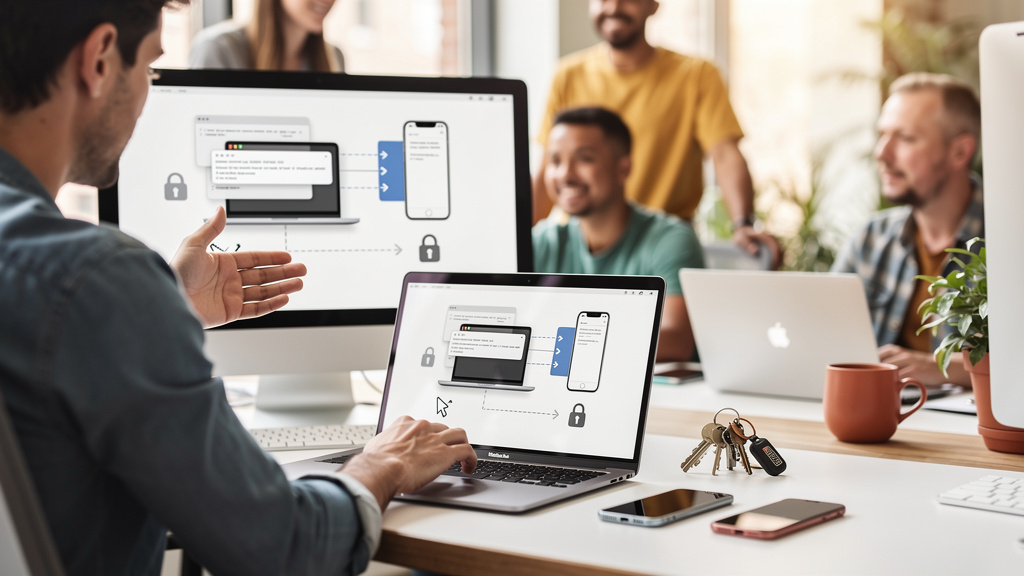
Copy and paste is the most fundamental thing we do on computers all day long. Yet somehow, making it work across devices has remained this surprisingly complex problem. Apple has Universal Clipboard, which works only inside the Apple platform. Windows has its own system, which works only on Windows. Android has something different again. After a year of friction, I landed on a self-hosted clipboard manager called SyncThing (an open-source file and clipboard synchronization tool that runs on every device you own, with no central server) plus a small companion service, and the cross-device copy-paste problem stopped being a problem.
Why this is harder than it should be
The naive approach is to write a small script on each device that watches the clipboard, posts the contents to a server, and reads new content from the server. The reason nobody ships a turnkey version of this is the platforms make it annoying. macOS sandboxes the clipboard and notifies you on every read. iOS treats clipboard access as a privacy event and surfaces a banner. Linux desktops vary wildly by window manager. The cross-platform abstraction layer is the part every clipboard-sync tool reinvents, and most of them reinvent it badly.
SyncThing solves the file-sync part cleanly because the files are ordinary text or image files on disk. The clipboard manager on top of SyncThing is a small wrapper that watches the local clipboard, writes the content to a watched directory, and reads new content from the directory back into the clipboard. The watched directory is the shared state. SyncThing handles the network sync. The clipboard manager handles the platform integration.
Works on macOS, Windows, Linux, and Android with the same configuration. iOS is a separate problem because of the sandboxing, and I have not found a clean solution there. For my workflow, that is acceptable because I do not copy-paste to and from an iPad often enough to engineer around the limitation.
What I actually run
The setup is two pieces. SyncThing itself, running on every device I want to keep in sync, is the first. On macOS, I use the official SyncTrayzor app (a third-party GUI wrapper around the SyncThing binary, easier to configure than the command-line version). On Linux, the official SyncThing binary running under systemd. On Android, the official SyncThing app from the Play Store. On Windows, the official SyncTrayzor or the official GUI.
A clipboard watcher is the second piece. There are a few open-source options: clipboard-sync is a small Python script that works on any platform with a clipboard API, and KDE Connect is a more elaborate solution that does clipboard sync plus file transfer plus notifications across devices on the same LAN. I started with clipboard-sync because it is a single Python file with no dependencies I do not already have. When the setup outgrew that, I moved to KDE Connect for the richer feature set.
Configuration I landed on after about six months of running this:
- One shared folder called
clipboardon every device. SyncThing syncs this folder between all my machines. It contains text snippets, image copies, and a small JSON manifest that records which device most recently wrote the file. - A 30-second polling interval. The clipboard watcher on each device checks the manifest every 30 seconds. If a different device wrote a new file, the watcher reads it, writes the content to the local clipboard, and fires a desktop notification.
- A 50MB size cap. Anything larger than 50MB does not sync. I do not copy 50MB images or files often, and when I do, I use a file-share service, not the clipboard.
- A 100-item history. Each device keeps the last 100 clipboard entries locally, so I can scroll back to something I copied yesterday without re-syncing.
The 30-second polling interval is the trade-off knob. Shorter intervals mean snappier sync, but more battery drain on mobile devices. I settled on 30 seconds because the delay is below the threshold where I notice it. If I copy something on my laptop and walk to my phone, the content is there by the time I unlock the phone.
The cloud-free part
The reason I switched from a cloud-based clipboard manager to this setup is privacy. Cloud clipboard managers store your clipboard history on a server, and that history is a record of everything you have copied. Passwords, confidential URLs, personal messages, work documents. A data breach of that server is a data breach of your entire workflow.
SyncThing is a peer-to-peer synchronization tool. There is no central server. The devices on your SyncThing network sync directly with each other, over your local network or over a relay you control. If you set it up with the relay disabled, the only way for a third party to see your clipboard is to compromise one of your devices directly. That is a higher bar than trusting a third-party service with your data.
The relay network, when enabled, is a fallback for when two devices cannot reach each other directly (one is behind a NAT, the other is on a different network). SyncThing runs a community relay network, and the encrypted traffic that flows through the relay cannot be read by the relay operator. I have the relay network enabled as a fallback, but in practice all my devices are on the same LAN or can reach each other directly.
For a small business or a privacy-conscious individual, this setup gives you a clipboard that works across all your devices, with no third party in the loop. The trade-off is that you have to run the infrastructure yourself. For a single user, that is about an hour of setup time and zero ongoing maintenance.
What I gave up
Three things. Rich preview is the first. Cloud clipboard managers like Paste and 1Password show a thumbnail of images and a preview of text snippets. My setup is plain text and image files in a directory. There is no preview UI. I open the file directly when I want to see what is there.
Search is the second. Cloud clipboard managers let you search across your full clipboard history. My local setup has a 100-item history per device, and searching is a grep over a JSON file. It works, but it is not as nice as a UI with a search bar.
iOS integration is the third. As I mentioned earlier, iOS is a separate problem, and I do not have a clean solution. I have not found an iOS app that watches a SyncThing folder and writes to the iOS clipboard without manual intervention. If you live in the Apple platform, this setup is not for you.
Trade-offs
The setup is not for everyone. Maintenance cost is real. SyncThing needs to be running on every device, and the watched directory needs to be configured consistently. When something breaks, debugging it requires looking at SyncThing logs on multiple devices. The cloud-based alternatives are more turnkey.
Bandwidth is the other trade-off. SyncThing is chatty on the local network. It sends a small amount of metadata continuously to keep the sync state coherent, and the clipboard files are sent in full when they change. For a single user with a handful of devices, this is negligible. For a household with ten devices, the network traffic adds up.
End-to-end encryption for the relay fallback is a third trade-off. Direct connections are encrypted, and the data SyncThing writes to disk on each device is just your clipboard content. The relay is a fallback for when direct connections fail, and the relay traffic is encrypted in transit, but the relay operator sees the encrypted bytes and not the content. If you are in a high-threat environment where the relay is in the threat model, the right move is to disable the relay and accept that direct connections are the only sync path.
For a single user with a small number of devices, on a network where the relay is a non-issue, this is a free, private, and reliable clipboard sync. Setup is a few hours the first time and a few minutes of maintenance per year. If you are in the Apple platform, look at Universal Clipboard first. If you are a single-device user, the clipboard already works and you do not need a manager.
Bottom line
If you copy-paste between two or more devices on a regular basis and you do not want a third party in the loop, run SyncThing plus a clipboard watcher. The setup is a few hours, the maintenance is minimal, and the result is a clipboard that works the way the platform vendors promised it would. If you are on iOS, this is not the right answer. If you are a single-device user, this is overkill. If you are willing to spend an hour to keep your clipboard history off a third-party server, this is the cleanest option I have found.