
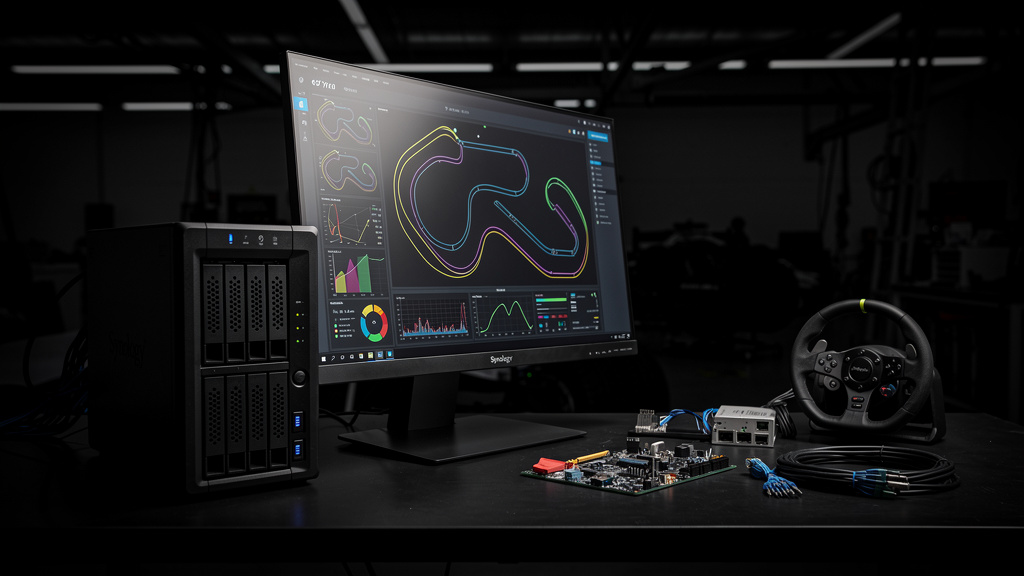
Some of us watch Formula 1 differently. We do not just want to know who crossed the line first. We want to see the gaps between cars in real time, watch tire strategies unfold lap by lap, and understand exactly why a driver pitted on lap twenty-two when the undercut (a pit-stop tactic where you stop earlier than the car ahead to come out ahead after their stop) was clearly live. The broadcast graphics are pretty. They are also about thirty seconds behind the data the teams are working with.
I have been running a self-hosted F1 telemetry dashboard for two seasons, and the difference between watching the broadcast and watching the broadcast with a second screen of live data is bigger than I expected. This is what I run, what it costs, and where the rough edges are.
What you actually get
The F1 live timing feed is published by the official F1 app and the Formula 1 website, but there is a well-known community project called F1MV (F1 Multi Viewer, a free open-source live timing viewer) and a separate project called F1-Dash (a self-hosted F1 live timing dashboard you can run on your own hardware) that scrape and re-render the data. The data is real-time. Driver positions, tire compounds, lap times, sector deltas, gap to leader, gap to car ahead. The broadcast shows you the lap time. F1-Dash shows you the lap time, the sector splits, the gap to the car in front, the gap to the car behind, and the tire age, all in one column.
What that buys you in practice:
- You see the undercut before it happens. When a driver is closing the gap at two-tenths a lap, the dashboard shows the trend. The broadcast shows you the result.
- You understand the strategy calls. A pit stop on lap twenty-two looks random until you see that the driver was losing two-tenths a lap on the mediums and the hards had a thirty-lap stint in them.
- You do not need the F1 TV Pro subscription. The official app is the easiest way to get the timing feed, but a couple of community projects have figured out how to source it without an account. I am not going to link to them here for reasons that are obvious if you read the F1 terms of service, but the timing data is genuinely free, and the dashboards work either way.
The dashboard runs in a browser. I open it on a second monitor, on a tablet, or on a phone propped up next to the TV. The data updates about half a second after the broadcast, which is faster than the broadcast graphics on most feeds.
The hardware
I run F1-Dash in a Docker (a tool that packages an app and its dependencies into a single container that runs the same anywhere) container on the same Synology DS920+ (a four-bay network-attached storage device from Synology that runs a Linux-based operating system) that runs the rest of my self-hosted stack. The container is tiny. The dashboard is a Node.js (a popular server-side JavaScript runtime) app that proxies the F1 timing feed and renders it in the browser. The memory footprint is about 80 MB. The CPU is negligible except during a race, when the websocket (a two-way communication channel that lets the server push updates to the browser) traffic spikes.
What the dashboard actually needs:
- A server that is on during the race. A NAS works. A Raspberry Pi works. A laptop with the lid open works. The catch is that the server has to be reliable enough to run for two hours without a hiccup, and the network connection has to be stable enough to keep the websocket open.
- A modern browser. Chrome, Firefox, Safari, Edge all work. I have tested on iOS and Android, both fine.
- A second screen, ideally. The dashboard is designed for a desktop layout. On a phone, the columns stack and it is harder to read at a glance.
The total cost in my case is zero. I already own the NAS. If you do not already have a server, the cheapest path is a Raspberry Pi 4 (about $60 for the kit) running Raspberry Pi OS Lite, with Docker installed. The dashboard will run there without complaint.
The install
F1-Dash is a single Docker image. The actual setup is:
- Create a directory on the host for the config. Mine is
/volume1/docker/f1-dash/config. - Pull the image from Docker Hub (a public registry of pre-built container images) and start a container with the config dir mounted as a volume (a directory on the host that the container can read and write, so config persists across container restarts).
- Map the port. The default is 8080. I forward it through the existing nginx (a popular open-source web server and reverse proxy) reverse proxy (a server that sits in front of the app and forwards web traffic to it, usually handling HTTPS and a friendly domain name) on my Synology, which gives me a friendly URL and HTTPS without exposing the port directly.
- Set up a bookmark on every device in the house that is going to be a second screen. The whole point of this is to be able to open the dashboard in three seconds flat when someone says “the undercut is on.”
The install took about fifteen minutes. The reverse proxy config took another ten. The part that surprised me is that the Synology’s built-in reverse proxy worked on the first try, because Synology’s DSM (DiskStation Manager, the operating system that runs on Synology NAS devices) 7.2 finally has a usable nginx config UI.
What race day looks like
The race starts at 3 PM local. At 2:55 I open the dashboard on the second monitor. At 3 PM the formation lap starts and the timing data begins flowing. For the next two hours the dashboard updates about four times a second, and the second monitor becomes the only screen I look at when something interesting is happening.
The dashboard is not a replacement for the broadcast. The broadcast has the cameras, the commentary, the driver radios, and the marshalling (the officials who handle on-track incidents and car recovery) decisions. The dashboard has the numbers. Together, they are a much better product than either one alone. The broadcast tells you what happened. The dashboard tells you why.
What I appreciate most is the gap-to-car-ahead column. When a driver is closing at one-tenth a lap, the broadcast shows the gap as a number that updates every few seconds. The dashboard shows the same number updated four times a second, and the visual is enough to feel the closing speed. The decision to pit becomes obvious about five laps before the team makes it.
Trade-offs
The dashboard is not free. The first is time. The install is fifteen minutes if you already have a server, and an evening if you do not. The second is the data feed. The official F1 timing feed is behind the F1 TV subscription, and the community workarounds for getting the data without a subscription are unofficial by definition. If the F1 changes the data format or the rate limit (a cap on how many requests one client can make in a given time window, used to prevent abuse), the dashboard breaks until the community updates the scraper. In the two seasons I have been running this, the scraper has broken twice and been fixed within forty-eight hours both times. Specific cost: I pay for F1 TV Pro for the broadcast, which is the legitimate way to watch the race, and I run the dashboard on top. Total out of pocket is the F1 TV subscription plus the electricity for the NAS.
In our case, the migration from “watching the broadcast with the F1 app on a phone” to “watching the broadcast with a second screen of live data” took about twenty minutes. The hardest part was convincing my partner that the second monitor was for the good of the household.
If you are the kind of person who pauses the broadcast to argue about whether the undercut was live, this is a clear win. If you just want to know who won, the broadcast is fine and the dashboard is overkill. If you do not have a home server, start with a Raspberry Pi project first, learn what a reverse proxy is, and come back to F1-Dash when that is boring.
What I would tell past me
If I could send a message back to the version of me that watched the 2023 season on the broadcast alone, I would say three things.
- The broadcast is the highlight reel. The timing data is the whole game. The gap to the car ahead, updated four times a second, is the single most useful piece of information in motorsport. The dashboard is the cheapest way to get it.
- A self-hosted second screen is a one-hour project, not a weekend. Docker, a reverse proxy, a browser tab. The hardest part is picking where to put the second monitor.
- Race day is a habit, not an event. Pick the dashboard setup that survives a five-minute pre-race setup. If it is harder than opening a browser tab, you will stop using it by the third race.
- Do not skip the browser bookmark. The whole point of this is to be three seconds from a live dashboard. If the URL is in a note app or a Slack thread, you will not open it under race-day pressure. Pin the tab.
I do not think everyone should self-host an F1 dashboard. Most people should watch the broadcast and enjoy the race. But if you have ever been the person in the group chat arguing about whether the undercut was actually live, the answer is a second monitor with live data, and the cheapest way to get there is a container on the NAS you already own.