
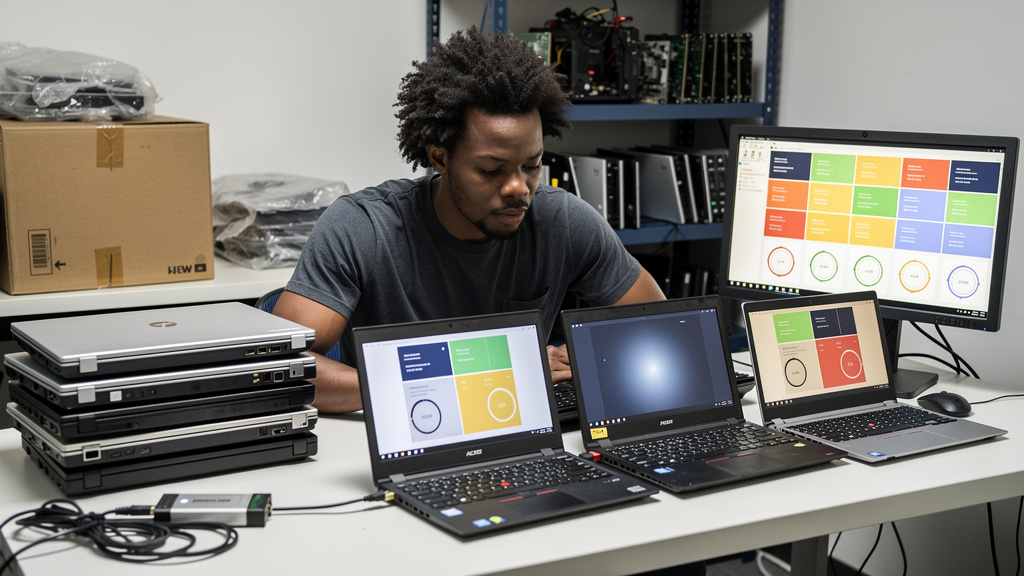
There is a special kind of pain that comes from owning a laptop from 2014 with an Intel 4th generation CPU and 4 GB of RAM, watching every modern Linux desktop stutter on it, and then reading another “Wayland is the future” thread. SparkyLinux 2026.09 is the first rolling-release drop in a while that actually does something about that pain. The new Labwc MinimalGUI image is not a polished consumer product. It is a clean Wayland starting point aimed at the people who already know what they want, and it does the one thing nobody else has bothered to do: it treats old 64-bit boxes as a real install target rather than a footnote in the README.
If you have been wondering whether to bother with the release, the short version is yes if your hardware dates back to the Broadwell era or earlier, no if you are on anything newer and lighter than a ThinkPad X230 with an SSD. The longer version is below.
What the Labwc edition actually gives you
Labwc is a standalone Wayland compositor inspired by Openbox. It runs on Wayland natively, has no X11 underneath, and exposes the same keyboard, mouse, and stacking behaviors that Openbox users have been running since 2004. The point is not to bring back 2004 aesthetics. The point is to keep the Openbox muscle memory while sitting on a modern display stack with the tear-free rendering and security properties that X11 cannot give you.
The Sparky Labwc MinimalGUI image is, by design, almost empty. There is no graphical package manager preinstalled. There is no installer wizard. There is no app suite waiting to confuse you. You get a compositor, a terminal, a panel, and the assumption that you will install your own desktop on top if you change your mind later. That is the trade the team is offering, and it is the right one for the audience.
- Labwc 0.20.2 ships in this release and is patched against the current Wayland protocol stack
- The MinimalGUI image intentionally omits APTus, Synaptic, Gufw, and Calamares
- Installation runs through
sudo sparky-installerfrom the command line, not a GUI wizard
The CLI installer is a real choice with a real cost. It will not run an offline install on UEFI systems. If you are trying to set up a UEFI laptop without network access, Sparky recommends pulling the Calamares-based image instead. The CLI path still has value on older BIOS-only boxes where graphical installers occasionally misbehave. The team has split the workflow deliberately, and the split is honest.
A four-class walk for choosing the right Sparky image
The hard part of this release is not “is Labwc good”. Labwc is good. The hard part is matching the right image to the hardware you actually have. Here is the decision walk I would use.
Class 1 covers the “still on the original spinning disk” crowd. Anything from an Intel 4th generation laptop with a mechanical hard drive and 4 GB of RAM or less. Burn the Labwc MinimalGUI image to USB, boot it, and run it for a week before committing. Pair it with the 6.12 LTS kernel for the smoothest experience on truly old silicon. Do not layer a heavier desktop on top until you have measured the cost.
For Class 2, the swap was an SSD plus 8 GB of RAM. Same era as Class 1, but the SSD saved it. The Labwc image is still the right pick, but you can now reasonably layer LXQt on top via sudo apt install lxqt without losing your sanity. LXQt 2.4 in the Sparky repos is a real Wayland citizen and is much friendlier than Labwc for daily use.
Class 3 fits the “Broadwell or newer, low-power” crowd. Think modern fanless mini-PCs, Atom-derived boxes, and low-TDP thin laptops. Skip Labwc entirely and grab the MATE 1.26.1 or Xfce 4.20.1 MinimalGUI image. Both run Wayland natively now and you will not notice the difference in responsiveness, but you will notice the friendlier defaults when you have to install something.
Class 4 covers anyone already on Sparky’s rolling branch. Pull a regular system update and the new packages land on your existing installation. The Labwc edition exists for fresh installs; if you already have a working setup, treat this release as a kernel bump and a stack refresh, not an event.
- Class 1 (old + spinning disk): Labwc MinimalGUI on 6.12 LTS kernel, leave it lean
- Class 2 (old + SSD + 8 GB): Labwc MinimalGUI, optionally add LXQt on top
- Class 3 (modern low-power): MATE or Xfce MinimalGUI on the default 7.2 kernel
- Class 4 (existing rolling install): nothing to do, just update
The point of the walk is that “Sparky 2026.09” is not one image. It is a family, and the right answer depends on what you are trying to do.
What you actually trade for the Labwc image
The Labwc edition gets you a Wayland session and gets out of your way. That is the entire pitch. It also means you inherit every trade-off that comes with the rest of the Tiamat release, and the most important one is the kernel.
The default kernel in this release is 7.2.6, which is recent enough that you should not expect real-world hardware issues, but recent enough that any new regression will land in your install before Debian sorts it out. Sparky tracks Debian Testing plus its own repository, which puts it closer to upstream than most Debian-derived distros. For a workstation, that is fine. For a production server, that is a reason to think twice.
If you are picking a kernel intentionally, the 6.12 LTS branch is the conservative pick for old hardware. The 6.18 LTS branch is the pick if you have hardware from the Skylake era onward and want longer driver support. The default 7.2 line is what the Sparky team is actively testing against, and that matters when something breaks. On truly old silicon, pin to 6.12 through the package manager and ride the LTS train rather than chasing the default.
On the application layer, the ESR builds of Firefox and Thunderbird handle browsing and email, LibreOffice covers documents, and Python 3.14 plus GCC 16 are in for anyone scripting or compiling locally. None of that is exotic, and none of it is the reason to install Sparky; it is the reason the rest of the family feels current rather than cobbled together.
- The kernel story matters more than usual because Wayland protocol changes ship in 7.x lines first
- Sparky tracks Debian Testing plus its own repo, which is closer to upstream than most Debian derivatives
- The application layer is current ESR Firefox/Thunderbird plus LibreOffice and current Python/GCC
Who should not bother
I would not steer a newcomer toward the Labwc edition. The lack of preinstalled admin tools will read as broken rather than minimal, and the CLI installer is a poor first impression of Linux in 2026. For that audience, the LXQt or KDE Plasma MinimalGUI images remain the friendliest entry points. Sparky did not abandon newcomers; it gave them a different door.
For everyone else, the Labwc edition is one of the cleanest Wayland starting points on a rolling-release distro right now. It will not hold your hand, and it will not surprise you with hidden defaults. That is exactly the audience the team is targeting, and the release delivers for them.
Trade-offs
Sparky 2026.09 is not free in time. The Labwc MinimalGUI image assumes you already know what a package manager is and how to point one at your needs. If you do not, you will spend an evening getting from “boot to desktop” to “boot to working setup”, and that evening is real cost. For the audience the team is targeting, that evening is the point; for anyone else, it is friction.
The CLI installer requires network access on UEFI systems. If you are trying to do an offline install on a freshly wiped UEFI laptop, you will hit a wall and need to either reach for a wired connection or grab the Calamares-based image instead. The team has split the workflow deliberately, but the split is not signposted from the boot menu, and a first-time user will not know to look.
Rolling branch users get the upgrade for free, but anyone on a fixed release cycle will be looking at a fresh install. The kernel bump from the prior LTS to 7.2 by default is a meaningful change, and on truly old hardware you may want to pin to 6.12 LTS through the package manager rather than ride the default. The release is not a no-op on legacy boxes, even when it is intended to be one.
If you have an old laptop from the Broadwell era or earlier, the Labwc edition is a clear win. If you have something newer than that, the MATE or Xfce MinimalGUI images are probably the better answer. If you are already on the rolling branch, you do not need to do anything except run the updater.
Bottom line
If the choice is “do I burn Sparky 2026.09 Labwc on my old laptop or keep fighting GNOME on it”, the answer is burn it. The Labwc edition is the first Wayland-first minimal image from a Debian-derived rolling distro that treats old 64-bit hardware as a serious target rather than a footnote. Pair it with the 6.12 LTS kernel, leave it lean, and resist the urge to layer a heavier desktop on top until you have measured the cost. The whole point of the image is what it does not install.