
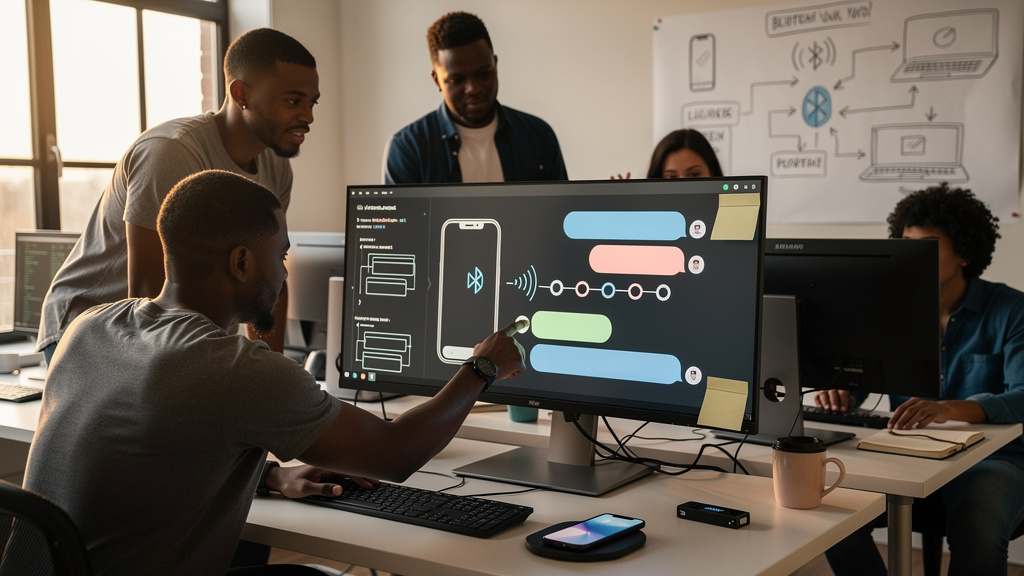
The first hour of my day has a tiny tax I forget about until I stop paying it. I open a browser at the Linux desk, get into some work, and within twenty minutes the phone in the other room lights up. By the time I have walked over twice to read a message I could have answered from the chair, the morning rhythm is broken. None of that is wrong on its own. The cumulative cost is the point. So when a small open-source project called BlueFerry showed up, advertising the ability to send and receive iMessage (Apple’s encrypted messaging system, bundled with every iPhone) and plain SMS (the carrier’s classic text protocol) on a Linux desktop over Bluetooth, with the iPhone doing the actual transmitting, I sat up. Not because iMessage is a triumph of software design. It is fine. It is also the one messaging service half my contacts will not leave, and there has never been a real native Linux client for it. That tension is the entire reason BlueFerry exists.
The Old Workarounds Were a Choice Between Bad and Worse
The history of “iMessage on Linux” is mostly a list of trade-offs nobody would pick on purpose. The most thorough option runs macOS inside a virtual machine (an emulated computer running as a window on your real machine) and pipes Apple’s Messages app into it. That works. It also burns through battery and RAM (random-access memory, the working memory your computer allocates to whatever is currently open) all day long. A second route hands your Apple ID password to a third-party relay service that promises to forward messages on your behalf. That works too, until you remember you just trusted a stranger with the keys to your iMessage history. The third option is what most people actually do: pick up the phone.
BlueFerry throws out the menu. It pairs with the iPhone over Bluetooth Low Energy (a low-power variant of Bluetooth, the same one your smartwatch uses to save battery) and shuttles messages between the phone and a small Linux client running on the desktop. The phone remains the only thing that authenticates with Apple and actually transmits. Linux is a second screen, parked on the computer you are already using. No relay service is involved. No credential is shared. The architecture looks more like the way an Apple Watch piggybacks on a paired iPhone than like the usual chat-bridge model, and that difference is the whole story.
What the Pieces Actually Do
The Linux app is the listener. The iPhone app is the doer. They talk over the same low-power Bluetooth variant a smartwatch would use. When you type on Linux, your keystrokes cross the local wireless link to the phone, and the phone pushes them out through iMessage or SMS using your real Apple ID and your real SIM (the small chip in the phone that proves to the cellular network who you are). Replies walk the same path backward. Your message history still lives on Apple’s servers, exactly where it always lived. Your Apple ID is still authenticated only by the phone. The trust boundary does not move. Only the location of the typing hands moves.
That local-first design has practical consequences. The bridge works without any internet connection between the two devices, as long as the wireless link is up and the phone is awake. If your laptop and phone are sitting on the same desk, you can stay online to your conversations even when the home router has died. For anyone who has ever lost a wireless access point at the worst possible moment and watched an urgent message sit unanswered for an hour, that fallback is genuinely useful.
The pairing process is also local. You sideload (install by hand, outside the official App Store, the standard way to distribute test builds and open-source iOS projects) the iPhone companion from the IPA file (the iOS application package format, like a .apk on Android) on the project’s official site. You install the Linux client from your package manager or build it from source. You pair the two over Bluetooth once, and the connection comes up automatically afterward. No email signup. No token exchange. No remote service to whitelist. The only step with any real friction is the first pairing, and even that takes about as long as pairing a set of wireless earbuds.
Where the Bridge Hurts
Software this young always has rough edges. BlueFerry is early-stage open-source work, which means bugs, surprise breaking changes, and the occasional Friday-night patch that lands without warning. I would not run it as my only messaging path. I would not trust it with a conversation that has to land at exactly the right time. I would let it sit on a spare device for a few weeks and watch how it survives real use before I started depending on it for anything important.
The other constraint is the obvious one. The phone has to be in the same room, charged, and unlocked for the link to stay up. Walking to the kitchen with the phone in your pocket takes the connection down, and the Linux client stops seeing new messages until you come back into range. This is not a cloud replacement. The phone is the server, the laptop is a thin client, and the radio between them is short. Anyone hoping to leave the phone on a charger in another room and still receive messages is going to be disappointed. Anyone hoping to keep the phone in their pocket while they work at their actual computer is the target user, and the project is built for them.
A quieter risk sits one iOS update in the future. The bridge relies on undocumented iOS behaviors to reach the messaging system, which means Apple can change the rules in a minor release and silently break things. That has not happened yet. It could. The right posture is to use BlueFerry, enjoy it, and keep your important conversations backed up somewhere you control, the same way you would back up any other young tool you actually depend on.
On Trust, Forks, and Reading the Source
I like that BlueFerry never asks for the Apple ID password. That alone puts it ahead of most alternatives. I also know “open source” is not the same as “audited by someone I trust.” The codebase is short enough that a determined reader can finish it in an afternoon. I would encourage anyone handing their text traffic to a new project to actually open the source and skim it before installing on a daily driver. If that is not going to happen, at minimum stay on the official repository. The malicious-fork problem is real on early-stage projects, and the wrong mirror can turn a clean little bridge into a quiet data exfiltration tool (a program that copies private information somewhere you did not intend it to go) overnight.
There is also no analytics endpoint, no usage ping, no background call home. Whatever happens between the laptop and the phone stays between them, and whatever happens between the phone and Apple is governed by the same Apple privacy policy that has always applied. For anyone who has spent time comparing Mac-on-Linux bridges against paid third-party relay services, that posture is the actual selling point. The new trust boundary is a short-range wireless link in the same room as you, which is a much smaller list of unknowns than handing credentials to a remote service.
A Reasonable Way to Try It
If you live half in iMessage and half in Linux, BlueFerry is the most promising local bridge I have seen in a long time. The pitch is short. The phone handles the transmission. The laptop shows you the result. No remote service sees your messages. No Mac is required. No Apple password leaves the phone. That is the whole pitch.
I would not call it a daily driver today. I would call it worth twenty minutes on a spare device, just to see whether the friction in your morning actually drops. If it does, keep using it. If it does not, you have lost nothing but a Saturday and a small amount of curiosity.
A few practical steps before you start:
- Install the iPhone companion from the project’s official site only. Skip any third-party mirror, even if it looks faster.
- Pair over the wireless link with both devices on a charger, in the same room, for the first session.
- Send one message to yourself and watch it round-trip. If the typing lag feels like a second or less, you are in good shape.
- Keep a backup of anything truly important somewhere outside the bridge until you have lived with it for a few weeks.
If the bridge drops every time the phone screen turns off, or if the typing lag is unbearable, walk away. The maintainers are upfront about being early, and you should be upfront about your own patience for early software. There is no shame in waiting for it to grow up.