
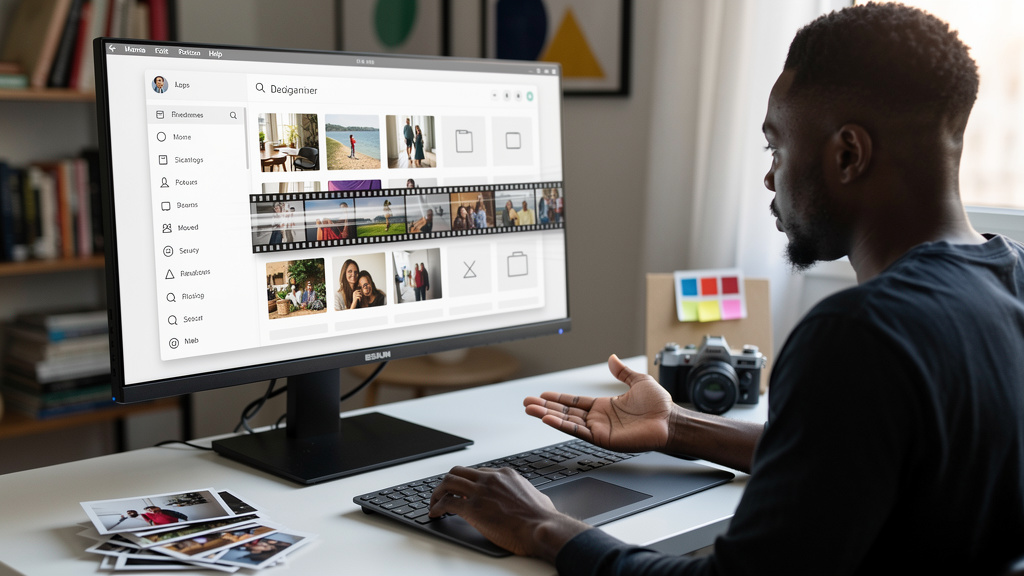
There is one specific Dolphin behavior that has annoyed me for years, and KDE Frameworks 6.30 finally fixes it. That is enough for me to write this article, even though the release covers a long list of other improvements I will mostly leave alone.
The behavior in question is the thumbnail stutter. Open a folder with a few hundred photos in Dolphin, and you get a visible pause while KDE pulls cached thumbnails in a single batch. The pause is short, but it is long enough that you notice it, long enough that you sometimes wonder whether the click registered, and long enough that it makes the file manager feel heavier than it needs to be. If you keep your photo library on a slower disk, the stutter is worse. If the folder has both images and a mix of weird file types, the stutter is worse still.
The fix in 6.30 is in KIO, the KDE library that handles every file operation you do without thinking. The old behavior was to read every cached thumbnail at once when you opened a folder. The new behavior reads them in controlled batches and only generates fresh previews when they are actually needed. The difference is not subtle. On my desktop, opening a folder with several hundred photos now feels roughly the same as opening a folder with twenty. On a slower spinning disk in a tower under my desk, the difference is bigger.
The fix that drove this article is small, but it is the point
That is what makes the 6.30 release interesting to me. Most KDE release posts are walls of fixes that nobody outside the project will read. 6.30 is the kind of release where one specific change, applied to the library that touches the most user-facing surface of the desktop, makes the daily experience noticeably better. It is not flashy. It is plumbing. But plumbing is what makes a desktop feel fast or feel slow, and 6.30 fixes a piece of plumbing that I have been working around for years.
I work around it by opening large photo folders in two clicks instead of one, by scrolling slowly to let the thumbnails catch up, by avoiding certain folders at certain times. None of those workarounds are large. None of them are why I would switch desktop environments. But they are the small frictions that add up to a desktop that feels slightly heavier than it should. Removing them is the kind of work that does not show up on a feature list, and you feel it within a day.
It also tells you something about how the project works. The fix is not in Dolphin. It is in KIO. The same library handles file transfers, network requests, uploads, and a dozen other things. When the user-facing app stops feeling right, the fix often lives in a library you have never opened, and that is what makes Frameworks releases worth reading even when the headline changes sound boring.
Other wins in the same release, briefly
Beyond the thumbnail fix, 6.30 tackles a long list of small things that are individually minor but collectively noticeable. File type sniffing is skipped on slow filesystems like network shares and USB drives, which removes the long pause when you open a folder on a NAS (network attached storage, basically a file server on your network). Big HTTP uploads now update progress as they go instead of sitting at zero percent until the file finishes. Folder properties now show the actual disk space a directory takes, including filesystem overhead. None of those are new features. They are papercuts.
For image formats, KImageFormats handles the codecs for files that are not built into Qt by default. There has been a long tail of formats that were broken or limited: HEIF images that would not decode, HEIC files that would not crop, JPEG 2000 and AVIF edge cases that produced mystery errors. 6.30 unblocks most of these. If you have ever opened a photo and gotten a gray placeholder icon, one of these fixes is probably why it now shows up.
KWallet, the KDE password vault, gets memory leak fixes and tighter handling of the locked state across sessions. If you have ever been locked out of your wallet at the worst possible moment, you know why that matters. Kirigami, the UI toolkit that convergent KDE apps use, gets a long list of small improvements, including better touchscreen behavior, tighter form layouts, and fixed switches. KTextEditor fixed several Vi mode bugs around tabs, selections, and registers. Baloo, the file indexer, now ignores .snapshots directories so TimeShift and similar tools do not pollute your search results.
I am leaving the full list aside because you can read the KDE release notes yourself, and because the reason 6.30 is worth paying attention to is not the count of fixes. It is the focus.
There is also a quieter thing this release gets right, and it is harder to put on a slide. KDE keeps shipping Frameworks releases on a monthly cadence, and the project is honest enough to admit when one of them is mostly fixes. That kind of release pacing is unusual. Most projects either bundle fixes into a giant annual release or quietly slip them in without a note. KDE does neither. They publish a changelog, name the libraries that changed, and let the fixes accumulate over the year. The result is a desktop that gets noticeably better every month, without anyone having to pay attention to the upgrade.
How to get it without thinking about it
If you are on a rolling-release distro, you already know the drill. Arch, openSUSE Tumbleweed, KDE neon, and Manjaro should all have Frameworks 6.30 in their repos soon if not already. KDE neon is the fastest path to a current Plasma stack without compiling anything yourself. If you are on a point-release distro, the update arrives on whatever cadence your distro ships, and you do not need to do anything beyond your normal update cycle.
The fixes do their work automatically, and the only thing you might want to do is reboot when convenient so any open Plasma shell components reload against the updated libraries.
Trade-offs
A few caveats worth knowing before you update:
- The new controlled thumbnail batching may affect custom thumbnail plugins. If you maintain a thumbnailer for an unusual file type, check the KIO thumbnail batching change because preview regeneration may behave differently than it did before.
- A Frameworks update on its own does not fix every KDE bug. App-level fixes still ship with the apps, on their own schedule.
- Rolling distros get the fix fast but also eat the occasional regression. If you rely on a stable KDE workflow for daily work, KDE neon is the closest thing to a stable-but-current compromise.
- KWallet is more reliable now, but if you have been bitten by a lost wallet in the past, back up the wallet file before you upgrade. Paranoia is cheap.
None of these are reasons to delay updating. They are just things to know.
What I would tell past me
The strongest argument I know for running Plasma on a rolling-release distro is exactly this kind of release. You stop noticing the fixes, which is the whole point. The desktop becomes invisible, the file manager opens when you click it, and you stop having opinions about thumbnail caching.
If you run Plasma, run the update. Reboot when convenient. That is the whole story.