
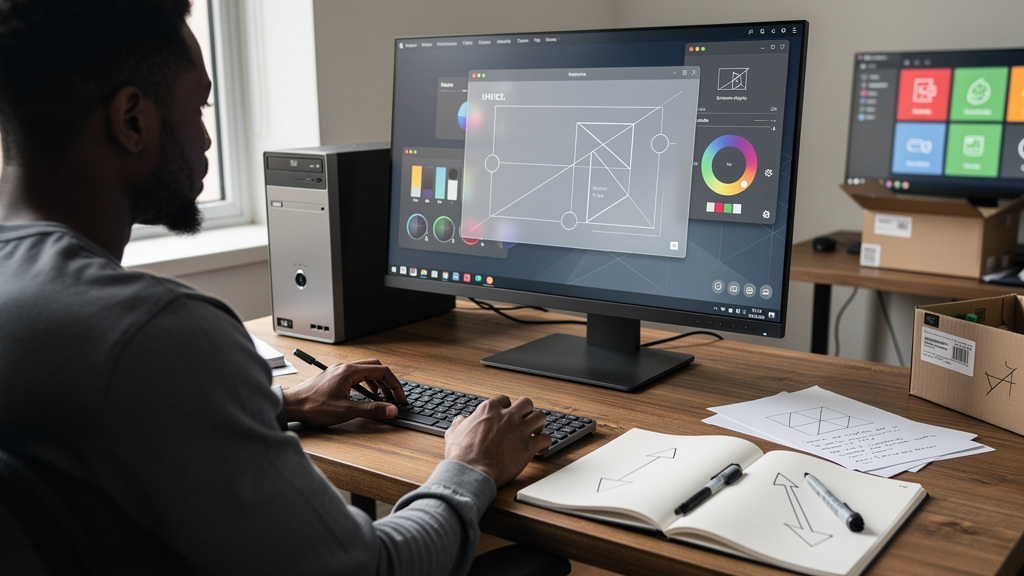
I have been running Hyprland on a daily driver for about a year now, and the screenshot stack is the part that always feels cobbled together. grim pulls pixels. slurp lets me pick a region. A separate tool like Flameshot annotates. Three applications, three keybindings, three different ways of saving files. The friction is small per shot, but it adds up over a week of writing tutorials and filing bug reports.
Noctalia 5.1 is the first point release after the shell hit 5.0 stable about a week ago. The team folded the whole annotation step into the same surface as the capture. That is the headline. But the rest of the changelist does more interesting work, because it makes the case for running Noctalia as a full-time shell rather than a Hyprland skin with a pretty bar.
Here is what is new, what is genuinely worth your time, and the trade-offs you should weigh before installing.
Why one tool beats three
What most Wayland screenshot workflows do is hand you the pixels and leave you on your own. You capture, switch apps, edit, save, share. The handoff between tools is where you lose a few seconds every time, and a few seconds adds up to real minutes over a workday. Noctalia 5.1 collapses the chain. The capture and the editor live on the same screen, with the same toolbar, in the same session. You grab a region, draw on it, type a label, blur the API key, and copy the result to your clipboard. The whole loop happens without leaving the shell.
A few specific touches show the team used their own product:
- The pointer behaves the same across capture modes, fixing a subtle mismatch older releases had.
- You can fire another region capture without restarting the editor between shots.
- The annotation toolbar can be repositioned mid-edit, so left-handed users do not get a right-handed default.
- Stroke sizes and other settings live with the toolbar instead of buried in a separate dialog.
For anyone whose work involves explaining what is on their screen, the shift from “tolerated workflow” to “reached-for workflow” is the actual feature, and it is the kind of change that quietly justifies trying out a new shell on its own.
Why the networking additions matter more than the editor
The cellular and enterprise Wi-Fi work in 5.1 is less photogenic than the screenshot editor, and it is also what makes the shell viable as a daily driver for most people. The shell now talks to cellular modems through ModemManager, with a UI surface that lets you toggle mobile data and check signal strength. For laptop users who tether or hotspot, that is plumbing they have been missing since they switched to Wayland.
Enterprise Wi-Fi (the 802.1X standard that powers most school, office, and lab networks) gets a real configuration form inside the Control Center. Joining those networks used to mean a config file edit or a nmcli command. Now it is a form field and a connect button, which is where it should have lived all along.
Control Center also picks up a manual refresh button for monitors hooked up over DisplayPort or DDC. You only appreciate this on the day an external display refuses to wake up after suspend, and on a Wayland session there is no shortage of those days.
The trade-off is real. Noctalia routes all of this through its own settings rather than handing off to the system network applet. Your profiles, monitor layouts, and saved Wi-Fi networks will not follow you if you decide to swap shells later. That is the cost of integration, and it is worth naming before you commit.
The lock screen fix is the change most people will actually feel
Most of the 5.1 changelist reads like cleanup work. One item was a real pain point. The lock screen would hang on “Authenticating” during PAM-based unlocking, and the only fix on affected setups was a hard reboot. If you have ever lost work to that bug, 5.1 is worth the upgrade on its own.
The other small fixes are less dramatic but real:
- Hyprland workspace switching became predictable, because the workspace widget now identifies workspaces by a stable ID instead of guessing from position.
- Display scaling at non-integer factors (1.25x, 1.5x) renders segmented controls correctly, so toggles and sliders stop smearing.
- MacBook power management now respects the charge-limit override instead of ignoring it.
- The external IP widget stopped breaking when the system bar reloads, which was a persistent annoyance in 5.0.
- Ghostty template reloading works again, and the Umbriel template handles missing color values without choking.
Startup is a touch faster, because the icon-theme scanner waits for the Control Center tabs to actually need it instead of running on every launch. None of these items would headline a release on their own. Together, they signal a shell whose developers are listening to daily users.
Notification and launcher polish
Notification history learned a new trick. Dismissed pop-ups can be cleared from history entirely, instead of living forever as “Notifications (30 unread)”. For anyone running a dismiss-and-forget workflow, that is the difference between a clean notification panel and a graveyard.
Emoji search now matches against keyword aliases. Type “fire” and you get the fire emoji even if you searched for “flame”. It sounds like a small change, but it makes the launcher feel less like a strict text-matching engine.
The settings pages picked up collapsible cards with jump links. That is settings-architecture talk for less scrolling and more direct clicks. The login screen keeps your dark-mode preference where it belongs instead of dragging it between sessions, which was a small but persistent annoyance in earlier builds.
Trade-offs to weigh before you commit
If you have been holding out on Noctalia, 5.1 is the release that moves it from “interesting but rough” into “polished enough for a real daily driver”. That is genuine progress, and it comes with real costs.
A few honest considerations:
- Integration has a price. Going all-in on Noctalia trades cross-shell portability for a tighter experience. Your network profiles, monitor layouts, and notification history will not migrate cleanly if you switch shells later. If you enjoy rotating between window managers every few months, Noctalia will feel like a tax.
- The screenshot editor is locked to the shell’s capture pipeline. If your workflow depends on a specific capture tool with specific output formats, you cannot easily splice Noctalia’s editor onto another frontend.
- Cellular support runs through ModemManager, which is solid in theory but quirky in practice. A 5G modem that works on GNOME may need fiddling before it works under Noctalia. Test with your actual hardware before committing.
- The shell is iterating fast. Expect a minor version every few weeks for a while. That is good for getting features, and it is bad if you need a stable target.
If you are already on Noctalia 5.0, run the upgrade. The lock screen fix alone justifies it. If you are on Hyprland without Noctalia, try 5.1 in a live session before making it your daily driver. The release is real polish, and a week of living with it tells you more than any changelog can.