
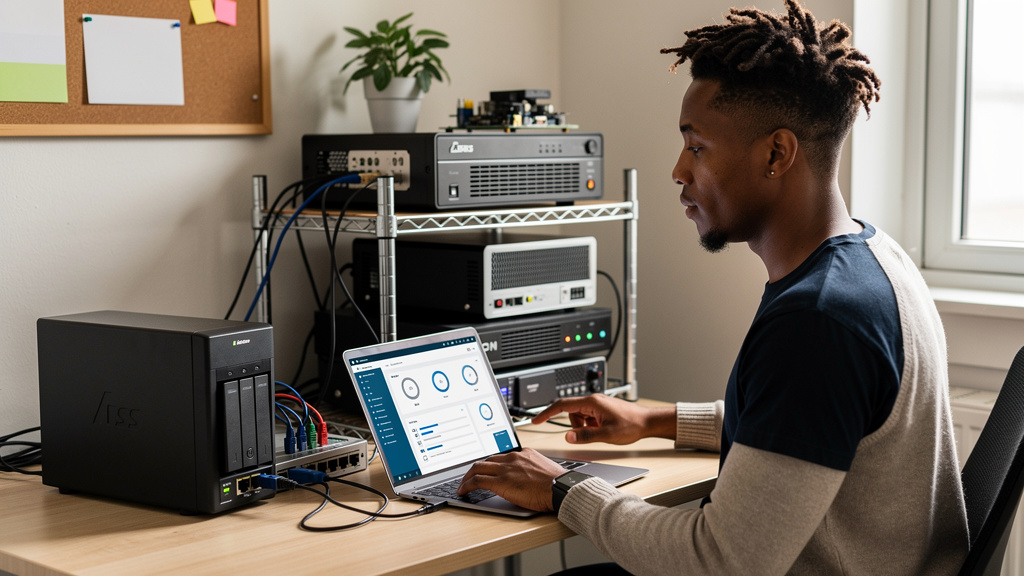
The microSD slot quietly disappeared from phones over a decade, and the cloud quietly filled the gap with a monthly bill. Most people did not notice because the slot was small and the bill is even smaller in the moment. Stack the bills up and you get something uglier. Ten dollars a month for a terabyte of cloud storage over ten years is twelve hundred dollars, paid once a month, never paid off. That is the kind of math that makes a $500 NAS feel like the deal it actually is.
A NAS is the grown-up version of the microSD card. Same job, different form factor. You own the storage. You move files when you want. Nothing happens in the background that you did not choose. The network cable replaces the plastic tray, and the rest of the experience stays familiar.
When a NAS makes sense and when it does not
The case for a NAS is strongest when three things are true at the same time. You shoot a lot of photos or video. You would have paid for cloud storage anyway. You already know how to set up a small piece of software on a small box of hardware. If any of those is missing, the math changes.
Phone storage tiers keep moving upward. Camera libraries grow by 80GB a year for someone who shoots video at all. Modern mobile games each eat 20GB to 40GB of space. The 256GB phone you bought last year is feeling cramped, and the 512GB upgrade costs another hundred dollars on top of the device you already paid for. The cloud plan that fixes the cramped feeling costs another ten dollars a month, forever, until you cancel it. The NAS that fixes both costs roughly five hundred to seven hundred dollars once and lasts five to seven years before any drive fails.
The case against a NAS is also real and worth naming. A NAS is not faster than a microSD card inside your phone. Editing 4K video directly from the NAS over Wi-Fi is a frustrating experience. Reaching the NAS from outside the house requires a VPN (virtual private network) or careful reverse proxy setup, and most people skip that step. None of these are deal breakers, but they are reasons the NAS is not the right tool for every job.
- Photos, videos, and document archives belong on the NAS
- Files you actively edit on the road are usually better in cloud storage
- Music and movie libraries for the home network are an easy win
- Phone backups work, but they require a small app called Immich to set up
Letting Immich handle the photo sync
Immich is what turns the NAS into a slot you never have to eject. It behaves like a private version of Google Photos. Your library lives on drives you own. The monthly bill never arrives. You set it up once, point it at a folder, and it does the rest in the background.
Day one is mostly waiting. The first run crawls your existing photo library and builds a face recognition index, which takes a few hours on a library of 30,000 photos and most of a weekend on a library ten times that size. While that runs, do not judge the experience. The interface feels sluggish and incomplete. By day three, after the index settles, the timeline view starts feeling familiar. By the end of week one, you forget the cloud existed.
Two habits keep it healthy. First, install the mobile app and flip on backup over Wi-Fi only. Cellular backups burn through data plans and do not need to. Second, back up the Immich database alongside the photo files. The photos are obvious. The little SQLite database that holds the face labels and the timeline is the part people forget, and rebuilding it from scratch is a real chore.
- Use Wi-Fi only uploads on the mobile app, skip the cellular backup
- Let the first index build finish before judging the experience, usually a weekend
- Back up the database file separately from the photo folder itself
- Tag people manually once, recognition improves from there
The trade-offs the YouTube reviewers never name
A home NAS is only as private as you make it. Leaving the admin password at the factory default is worse than giving Google your photo library, because Google at least has a security team. Self hosted means you are now the security team. That means changing the password on day one, turning on automatic firmware updates, and never exposing the admin interface to the open web without thinking about what you are doing.
Ransomware crews scan the entire internet for exposed home storage boxes and they will happily encrypt everything if you let them in. Boring fixes work. Change the password. Disable the services you do not use. Keep a second backup drive unplugged most of the time. None of this is glamorous. All of it is necessary.
Speed is the other honest limitation. Streaming your photo timeline over home Wi-Fi is fine. Editing a 4K video file on a wireless laptop is fine on a recent router, slower on an old one. Reaching the NAS from a coffee shop needs either a VPN tunnel home or remote access you set up yourself. Cloud drives handle the remote case for you. A NAS only handles it after you build the bridge.
Picking the right box without buying the wrong one
A midrange four-bay enclosure hits the sweet spot for most households. Two drives mirrored gives you redundancy. The other two bays give you room to grow or hold a hot spare. Major brands like Synology, QNAP, Ugreen, and Asustor ship models in the $400 to $700 range that run Immich without breaking a sweat. Pick whichever vendor has documentation you can actually read at midnight when something breaks.
Drives matter more than the box. Cheap drives from random Amazon sellers are usually recycled enterprise pulls that fail in creative ways after eighteen months. Pay the extra money for NAS rated drives from a major manufacturer. The price premium is real, somewhere around twenty to thirty dollars per terabyte. The failure rate is dramatically lower across five years of daily use.
A UPS (uninterruptible power supply) is the third piece nobody buys and everybody regrets not buying. A $60 to $100 unit bridges brief power blips cleanly and tells the NAS to shut down properly during a longer outage. A clean shutdown is the difference between a working filesystem and a corrupt one you spend a weekend rebuilding.
- Four-bay midrange NAS from a major vendor, $400 to $700
- NAS rated drives, not recycled enterprise pulls
- A small UPS for clean shutdowns during storms
- Backup strategy that does not depend on the NAS itself staying alive
Try it without buying anything first
Before spending real money, see if the workflow actually fits your life. Pick a phone you already own, connect it to a computer, and copy the photo library to a folder you control. Spend two weeks reading from that folder, organizing the way you want, and noticing whether you keep wishing your phone could write to it without you opening a cable. If yes, you have just described the job a NAS does. If no, you saved five hundred dollars.
If a NAS already lives in your house and sits mostly idle, do not buy a bigger phone. Spend an hour this weekend setting up Immich or a comparable self-hosted photo app. Move the camera roll over. Turn on automatic backup. Watch the phone stop complaining about storage for the first time in years. That feeling of the monthly bill quietly ending is the reason the NAS exists in the first place.
If the cloud already covers what you need and your photo library fits comfortably in 200GB, skip the hardware entirely. Cloud storage is fine for small libraries and casual shooters. The NAS earns its keep when the library is large, the bills are accumulating, and the math finally tips. Anyone trying to convince you otherwise is selling a closet full of boxes you do not actually need.