
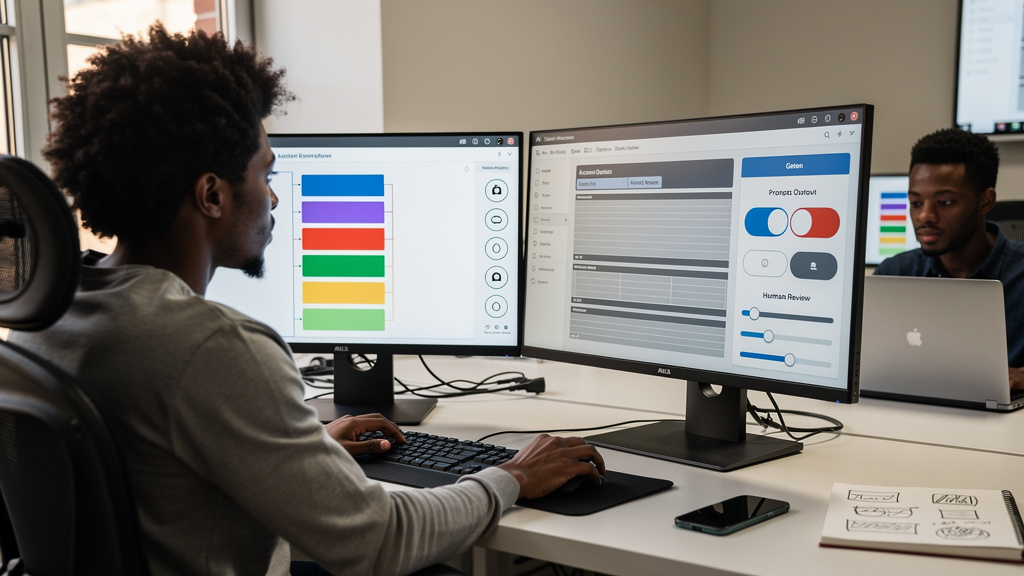
Claude Code is a paid Anthropic command-line tool that reads your project, proposes code edits as diffs, and runs commands after you approve each one. It is more like a junior pair programmer than a code completion engine. The first time you point it at a real Python project, it will produce something that looks correct, fail in a way that is hard to spot, and teach you something about how you actually write Python. The workflow that survives the second project is not the one in the landing page demos. It is the one that treats the model as a reviewer with sloppy reading habits and a fast first draft.
This is the workflow that holds up on a project you intend to keep.
What changes when an agent is in the loop
Terminal-based code assistants turn three habits into bottlenecks. The first is the copy-paste dance between a browser tab and your editor, which disappears when the assistant reads your files directly. The second is the half-finished solution that you would never have written yourself but accepted because it was on screen, which multiplies because the model pattern-matches to common solutions. The third is the way you review code, which has to move from “did I write this correctly” to “did this model write this correctly.”
The shift that makes the tool productive is committing to a plan before the first edit. Without a plan, the model is generating code from the prompt and the file context, and the next prompt depends on the previous edit. With a plan, you and the model are working off the same document, and the next edit is the diff against the plan. The cost of the plan is the time it takes to write one. The benefit is that the review step has something to check against.
Claude Code is not the only tool that does this. The workflow it encourages is the workflow any LLM-driven editor rewards: plan first, edit second, review third, commit fourth.
The setup that does not surprise you
Three things have to be in place before the first prompt. None of them are written into the tutorial you started with.
Git is the safety net. Every step in the workflow is a commit. If the model proposes an edit that breaks the build, you roll back the commit. If a session context gets long and the model starts hallucinating, you throw away the uncommitted work and start a clean session. If you cannot articulate why a commit is happening, you are not committing. You are accumulating diffs you cannot review later.
A CLAUDE.md at the project root. This is a markdown file the model reads at the start of every session. It should say what the project is, what the conventions are, what the dependency story is, and what the model is not allowed to touch. The file is the answer to the question “what would I tell a new developer on their first day.” The model is that new developer, with a memory of zero across sessions.
Plan mode for any non-trivial edit. The model has a mode where it proposes a plan and waits for your approval before editing any file. Use it for any change that touches more than one file, any change that adds a new dependency, and any change you cannot trivially reverse. The first time you skip plan mode on a non-trivial edit, you will spend the next twenty minutes reverting files you did not realize the model had opened.
The build cycle that does not produce rework
The pattern that holds up on a real project is four steps, repeated in order:
- Plan with the model. Describe what you want to build in plain English. Ask the model to produce a plan, including the file structure, the dependency choices, the function signatures, and the test cases. Read the plan. If it misses something, push back in plain English. The plan is the document the next three steps check against.
- Generate and review code, function by function. Approve the model one file at a time. Read the diff. The diff is the unit of review. The model can produce a working file, but the diff is what tells you whether the file is doing what the plan said it would do. A 400-line file written in one shot is not reviewable; a 50-line file written in one shot is.
- Run the tests after every approval. The model does not know if the code is correct until you run it. The test pass is the proof. If the model wrote a test, run it. If the model did not write a test, write one before approving the next file. The build is the contract.
- Commit between tasks. Each step that compiles and passes its tests is a commit. Each commit is a checkpoint. Sessions that last long enough to span multiple features are also commits. The commit history is the trace that lets you figure out, three weeks later, which edit introduced the bug.
The shape is identical to the workflow you would use with a junior developer. The only difference is the model is faster at the typing, less reliable at the judgment, and incapable of asking you clarifying questions unless you have prompted for clarifying questions.
The debug cycle that finds the actual bug
The temptation with a model-driven debugger is to paste the traceback and ask what is wrong. The model will guess. The guess is sometimes right, often plausible, and occasionally wrong in a way that costs you an hour to detect.
Four steps that find the actual bug:
- Read the traceback yourself. Where in the file did the error fire. What was the line above it. What was the prior function call. The model can summarize the traceback, but the traceback is yours to read.
- Tell the model what you know, not what you think. “The function fails on the third record when the CSV has Unicode characters” is a debugging prompt. “I think the issue is with the encoding” is a confirmation prompt. The first one lets the model investigate. The second one lets the model agree with you.
- Use the model to generate the test, not the fix. If the bug is reproducible, ask the model to write a failing test that reproduces it. Review the test. If the test is right, the model has just earned the right to propose a fix; if the test is wrong, you have learned something about the bug that the model did not understand.
- Patch the smallest possible change. The model will propose a rewrite. The rewrite is usually correct, and the rewrite is also usually larger than the bug requires. A two-line fix is reviewable. A forty-line rewrite is a new feature.
The debug cycle is the cycle that exposes whether you understand the codebase. The model is fast at the parts that do not require judgment, slow at the parts that do. The workflow separates the two.
The common failure modes
A few patterns show up on every project, and they are worth naming because the model will not name them for you.
Hallucinated dependencies. The model proposes a requirements.txt line for a package that does not exist. The fix is to install every dependency the model names, then to delete the ones that failed. The model pattern-matches to packages that exist; it does not verify.
Stale context. Long sessions accumulate prior edits, and the model starts referring to a state of the file that was true three edits ago. The fix is to clear the context (start a new session) between unrelated tasks. A clean session is faster than a confused one.
Tests that prove the implementation, not the behavior. The model writes tests that pass because the function does what the test asserts. The tests do not catch the bug a user would actually hit. The fix is to write the test from the user’s perspective, before the model writes the implementation.
The “trust the diff” failure. The diff looks reasonable. The file does not compile. The model proposed a syntax error or a typo. The diff is not the file. Read the file.
Trade-offs
The workflow this article describes is heavier than the one in the tutorials. The tutorials show the model solving a small problem in a few minutes. The workflow shows the model solving a series of small problems in a project you intend to keep. The cost of the heavier workflow is the discipline of the four-step cycle. The benefit is that the model becomes a useful collaborator instead of a generator of plausible code.
CLAUDE.md is the single highest-impact habit. A 200-line conventions file turns a generic model into a project-aware one. The cost of writing the file is the time it takes to write the file. The benefit is that every future session starts with the same context.
Plan mode is the single highest-impact mode. It is the difference between “the model produced a working file” and “the model produced a working file we agreed on.” The cost of plan mode is the time it takes to read the plan. The benefit is that the plan is the review artifact.
The four-step cycle is the single highest-impact habit for keeping the project reviewed. The cost is the discipline of committing between tasks. The benefit is that the commit history is the trace.
Bottom line
Claude Code is not a productivity boost the way a faster editor is. It is a productivity boost the way a junior developer with a fast typing speed is, after you have built the review discipline to catch what they miss. The tool is the lever. The workflow is the requirement. Without the workflow, the tool generates plausible code you cannot review. With the workflow, the tool generates code you can review against a plan, file by file, commit by commit.