
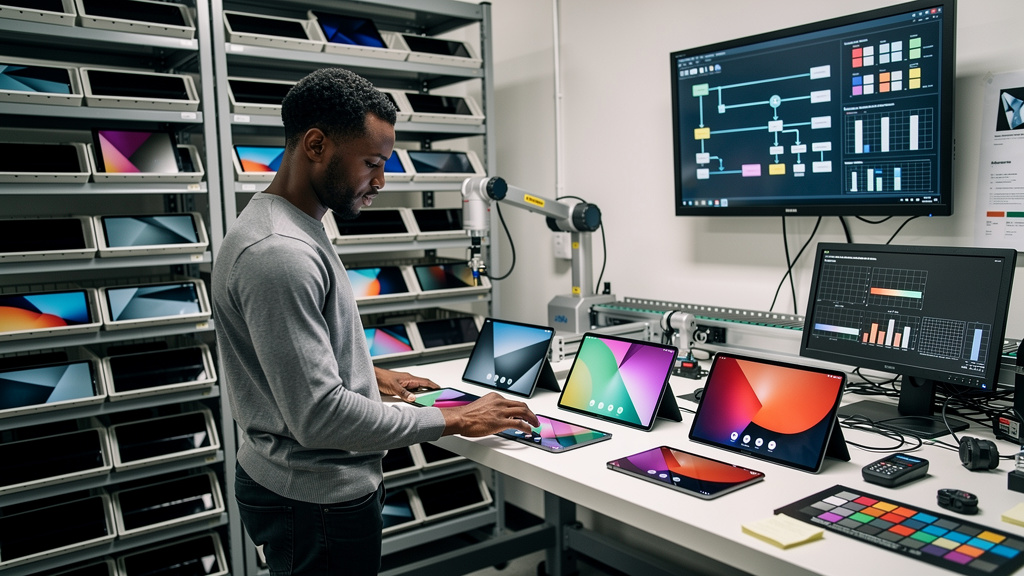
Most tablet specs have stopped mattering. Processor speed is more than enough for almost anything you do on a tablet. Storage is cheap enough that capacity is rarely the constraint. Battery life has plateaued at around ten hours of mixed use, which is what every manufacturer claims and what every tablet delivers. The display is the one part where real differences still exist, and the difference between AMOLED and LCD is large enough to make every other spec sheet number feel like noise.
I keep coming back to that conclusion every time I help someone shop for a tablet. The screen is the part you stare at for the entire life of the device. Everything else is invisible once the box is in the recycling.
How an LCD actually makes an image
A traditional LCD (Liquid Crystal Display) screen is built like a sandwich. At the back is a white backlight, a panel of bright LEDs that produce a constant sheet of light. In front of the backlight is a layer of liquid crystals, which are molecules that can twist and untwist in response to an electric current. In front of that is a color filter. The crystals do not produce light. They block or pass the light from behind based on the image you want to display.
To make a black pixel on an LCD, the crystals have to block as much of the backlight as possible. They never quite succeed. Some light leaks through, which is why LCD blacks are not really black. They are dark gray. The best LCD panels get close, but the backlight is always there, always on, always bleeding into the darkest parts of the image.
To make a white pixel on an LCD, the crystals have to let the backlight through unobstructed. The brightest white an LCD can show is roughly the brightness of the backlight itself, which is fixed at the factory.
How AMOLED actually makes an image
AMOLED stands for Active Matrix Organic Light Emitting Diode, and the key word is Emitting. Each pixel in an AMOLED display is its own tiny light source. There is no backlight. When a pixel needs to show black, it turns off completely. Not dim. Not almost off. Off. The pixel produces no light, which means no light reaches your eye, which means true black.
The same pixel, when it needs to show white, lights up to its full brightness. When it needs to show a mid-gray, it lights up to half brightness. Each pixel is independent of every other pixel.
The practical consequences are larger than they sound. A scene with a candle in a dark room, the kind of scene every moody Netflix show opens with, looks completely different on the two technologies. On the LCD, the candle is bright and the rest of the screen is dark gray. On the AMOLED, the candle is bright and the rest of the screen is black. The image stops being a uniform panel of light and starts being a window into an actual dark space.
What the difference looks like in practice
The first time you see an AMOLED next to an LCD showing the same image, the LCD looks fine on its own and broken in comparison. The things you start noticing in daily use:
- Dark mode in apps is genuinely dark, not dark gray. Reading an ebook at night is easier on the eyes because the screen is not glowing in the background.
- Movies and shows with shadow detail are watchable. The shadow is preserved as a shadow, not flattened into a haze.
- Battery life improves when you use dark interfaces, because dark pixels are off pixels and off pixels do not draw power.
- Outdoor visibility is better, because AMOLED panels can hit higher peak brightness on bright pixels without having to light up the whole backlight.
- Color accuracy on the better AMOLED panels is essentially perfect. The screen shows what the camera captured.
The list sounds like marketing copy until you use one for a week and then go back to an LCD. The downgrade is immediate and the upgrade is permanent.
Why the rest of the spec sheet stopped mattering
The reason I care so much about the display is that every other part of a modern tablet has converged. The processors in mid-range tablets are fast enough that you cannot feel the difference between four and eight cores during normal use. Storage is cheap. RAM is plentiful. The cameras are good enough for video calls and not much else, but you are probably using your phone for photography anyway.
The display is the one component where the engineering choices still create visible, daily consequences. A tablet with a slower processor still feels fast for reading, browsing, and streaming. A tablet with a cheap LCD still feels cheap every time you turn it on. The choice of display technology determines whether the device disappears during use or constantly reminds you that you are staring at a screen.
This is also why the AMOLED premium is worth paying even when the rest of the tablet is mid-range. A mid-range processor on an AMOLED display is a better experience than a flagship processor on an LCD.
What to look for beyond the AMOLED label
Not every AMOLED panel is the same. The technology has matured enough that the bad ones are mostly gone, but the good ones still differ in ways worth knowing:
- Peak brightness, measured in nits, determines whether you can read the screen in direct sunlight. Anything over 1,000 nits handles outdoor use. Anything under 600 nits is rough in daylight.
- Refresh rate, measured in hertz, determines how smooth scrolling and animation feel. 120 Hz is the new standard and the difference from 60 Hz is obvious within seconds.
- Pixel density, measured in pixels per inch, determines how sharp text and images appear. Anything over 250 ppi is sharp at normal reading distance.
- HDR support, including HDR10 and Dolby Vision, determines whether streaming services deliver the higher-quality version of their shows. Not every AMOLED panel supports every HDR format.
- Color calibration out of the box, which is rarely advertised but easy to find in professional reviews. The better AMOLED panels hit close to 100 percent of the sRGB and DCI-P3 color spaces without needing a profile.
A panel that hits all five of those marks is what you want. A panel that hits three of them is still a clear upgrade over LCD.
Trade-offs
AMOLED is not without downsides, and pretending otherwise wastes your time. The most discussed one is burn-in, the faint ghost of a static image that can persist on the panel after thousands of hours of the same content. Modern AMOLED panels have pixel-shifting and dimming logic that makes burn-in rare in practice, but it is not impossible. If you leave the same app open on the same screen for days at a time, the navigation bar will eventually leave a faint trace. The fix is to vary what is on the screen, which most users do naturally.
The other cost is price. AMOLED panels are more expensive to manufacture than LCD panels at the same size, and that cost flows through to the tablet. You will pay a real premium for the display, and that premium is hard to justify if you mostly use the tablet for short tasks. If your tablet is the thing you read on at night, watch shows on during travel, and use as a primary screen for hours at a stretch, the premium is justified. If your tablet mostly sits on the coffee table for occasional web browsing, the cheap LCD is fine.
There is also a longevity question. LCD panels do not degrade noticeably over years of use. AMOLED panels do, slowly. After three or four years of heavy use, an AMOLED panel will be slightly dimmer and slightly less color-accurate than the day you bought it. The degradation is gradual enough that you will not notice it day to day, but you might notice it the first time you compare your old tablet to a new one. If you replace your tablet every five years, this does not matter. If you keep them until they die, plan on the display being the first part to age out.
For most people, the right answer is to buy the AMOLED once and stop thinking about it. The premium is real, the advantages are daily, and the downsides are either managed by the device or invisible until you compare against a brand new panel. The screen is the part of the tablet you will look at thousands of hours longer than you will spend on any other feature. It is the part worth caring about.