
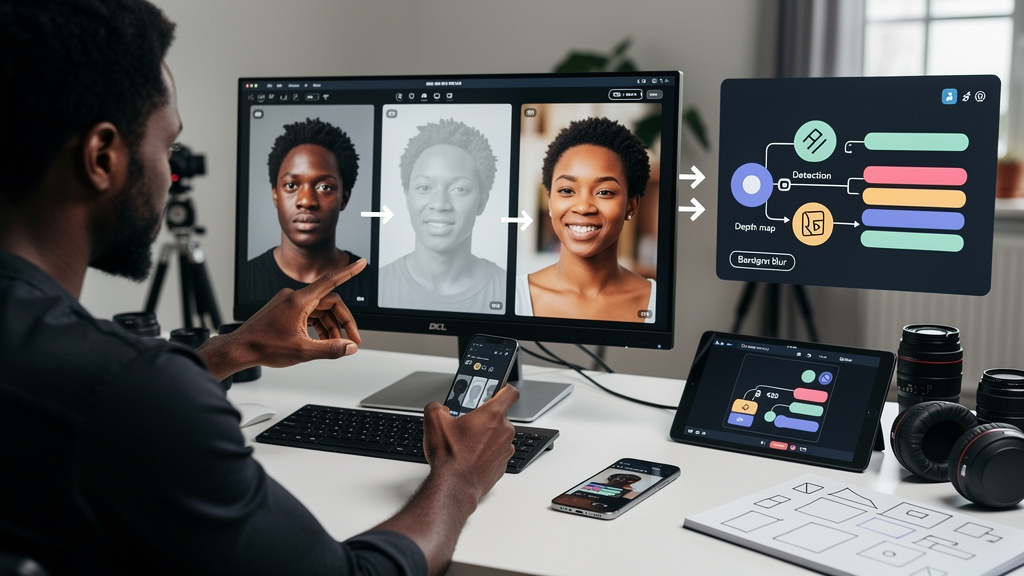
Smartphones do not blur backgrounds the way a camera does. They fake it after the fact, with depth maps, segmentation networks, and a blur kernel that simulates a wider aperture than the lens actually has. If you have ever wondered why a portrait taken with your phone looks slightly off when you crop in on the hair, this is the reason. The lens is doing far less of the work than the marketing suggests.
This piece walks through what is actually happening when you tap Portrait mode, where the seams are visible, and how to get cleaner results.
Three things the pipeline has to do
Computational portrait photography runs three steps in sequence. Each one can be done several ways, and each one is where most of the failure modes live.
Figuring out how far away things are comes first. The phone has to build a depth map, which is a per-pixel estimate of distance from the camera. Without depth, the phone cannot know what to blur and what to keep sharp.
After that comes figuring out what is in the scene. Segmentation is the process of labeling each pixel as foreground (the person), background (everything else), or somewhere in between. The two halves of a hair strand or the rim of eyeglasses are the parts where segmentation gets tricky.
The final step is rendering the blur. For each pixel, the phone looks up the depth, picks a target aperture that defines how much blur should exist at that distance, and runs a convolution (a per-pixel transformation that mixes each pixel with its neighbors according to a kernel) over the captured image. The blur kernel grows with distance, so the background gets more blur than the foreground, and the foreground stays sharp where it should.
When all three steps work, the photo looks like a 50 mm f/1.8. When any one step misses, the seams show.
How phones actually get the depth map
There are four common ways phones build a depth map, and most modern phones use more than one.
- Stereo cameras. Two rear cameras at slightly different positions see the scene from different angles. Nearby objects shift between the two views more than distant objects. Software that measures the shift, called parallax (the apparent displacement of nearby objects when viewed from different positions), can estimate distance.
- Dual-pixel autofocus. Some phone sensors split each pixel into left and right halves that view the scene through opposite sides of the same lens. The two halves see slightly different images, less than a millimeter apart, but enough to estimate depth for nearby subjects.
- Machine-learned monocular depth. A neural network trained on millions of labeled depth maps can take a single image and predict depth. The prediction is approximate, but it is good enough to control blur in most cases.
- Active sensing. LiDAR (a laser-based depth sensor that measures how long infrared light takes to bounce back from each point in the scene) and structured light (a sensor that projects a known pattern of dots and reads how they deform to compute depth) measure depth directly. Apple’s iPhone 12 Pro was one of the first phones to add LiDAR. The Pixel line relies on dual-pixel and learned depth, not LiDAR.
A typical modern phone blends at least two of these. The LiDAR or dual-pixel estimate seeds the depth map, the segmentation network refines the foreground, and a learned model handles the parts the sensors miss.
Why the lens itself is so small
A 50 mm f/1.8 lens on a full-frame camera has an entrance pupil about 28 mm across. That is the opening that lets light in and controls how shallow the depth of field can be. A phone lens with a real focal length of a few millimeters has an entrance pupil a few millimeters across at the same f-number. The math of depth of field says that with a small entrance pupil and a short focal length, most of the scene is in focus.
Phones can produce real optical blur at very close focusing distances. They can also produce real optical blur with a telephoto module that has a longer focal length. Most of the time, though, the lens alone produces a deep-focus image. The blurred background in Portrait mode is mostly synthesized, not captured.
This is the part that confuses people who are used to film cameras. The phone is not cheating. The phone is doing what the lens cannot do, by inferring depth and rendering blur after the fact. The marketing term for this is computational photography, which is honest if you read past the headlines.
Where the seams show
Reconstruction artifacts are easier to spot when you know what to look for. The most common patterns:
- Bleeding background into the hair. A bright edge of the background smears into the silhouette of the hair because the segmentation model guessed wrong.
- Hollow hair strands. When the depth map says “background” for a wisp of hair the segmentation mask says “foreground,” the wisp gets blurred instead of preserved.
- Stair-step blur. Coarse bands in the depth map produce abrupt changes in blur amount across distance boundaries.
- Eyeglass frames that disappear. Transparent or reflective surfaces confuse the depth model, and the edges of frames often get blurred in ways the user can see.
The pattern to recognize is that the math is good at the obvious case and worse at the edge cases. A person, head-and-shoulders, three-quarter view, in good light, with a clean background: the pipeline is in its wheelhouse. A profile shot, a person with a hat, a pet, or a statue: the pipeline is guessing. The guesses are usually right enough that the seams are invisible. The guesses are occasionally wrong enough that the seams are visible to anyone who looks.
Trade-offs
Computational portrait mode is not free in trust. The pipeline is making decisions you do not get to see, and the decisions are not always right. The cost of being wrong is an artifact in the photo you will notice, even if you do not know what you are looking at.
It is also not free in lighting dependency. A blur pipeline trained on well-exposed images assumes the input is well-exposed. Low light forces longer exposures or higher gain, which adds noise. The blur kernel smears the noise into a haze, and the depth map loses fidelity. The math is best in daylight.
A few things I would weigh before relying on Portrait mode:
- Subject and framing matter. A person, head-and-shoulders, three-quarter view, in good light: the pipeline is built for this. A pet, a statue, a profile shot, or a partial occlusion: the pipeline is guessing.
- Telephoto modules help. A telephoto module produces real shallow focus at typical portrait distances, so the math has less work to do. The result looks more like a real lens because the lens is closer to the right size.
- Daylight helps. Bright light gives the depth pipeline the cleanest input. Low light gives the pipeline noise and motion blur to work around.
- The preview is not the final image. What you see in the viewfinder is a fast preview. What gets saved has had more processing time. If the preview looks off, the final image might still recover.
In our case, the math is good enough that I rarely notice it on the obvious cases, and I do notice it on the edge cases. Your math will be different if you take a lot of portraits of pets, statues, or unusual angles.
Bottom line
If you want the cleanest portrait mode result, the formula is straightforward. Use a telephoto module when you can. Shoot in good light. Frame the subject at typical portrait distance. Crop in on the final image to check the hair and the edges. If those look right, the math worked. If those do not look right, switch to the wide lens, get closer, or take the photo with a different subject framing.
Three things I would tell anyone using Portrait mode for the first time:
- The lens is doing less than you think. Most of the work is depth inference plus blur synthesis. Knowing that changes how you read artifacts.
- Hair and glasses are where the seams show. Crop in on the final image. If those parts look right, the rest is fine.
- Light is the cheap upgrade. Daylight costs nothing and gives the pipeline the cleanest input.
If you only do one thing from this article, learn to spot the seams. The math is good, but the math is not invisible, and the seams are easier to see if you know what you are looking at.