
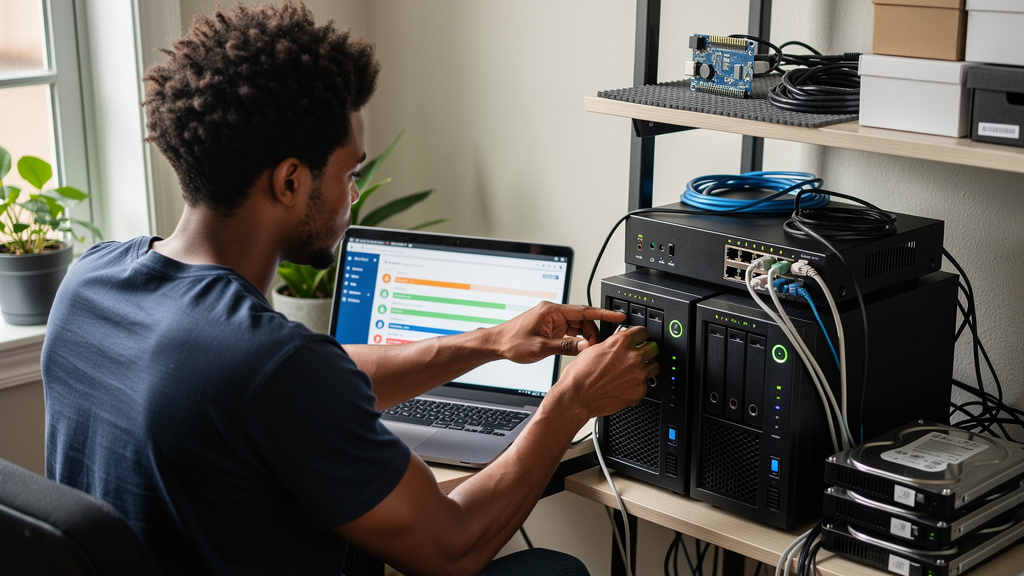
YouTube’s recommendation engine has one job: keep you watching past the video you actually came for. The home feed is a slot machine wearing a TV guide costume. Most people have cracked the app for one tutorial and slid into a stranger’s rant forty minutes later, and the pattern repeats itself without anyone really meaning to.
The standard fixes, short sessions, cold opens, willpower, do not work very well. The actual fix that lasts is a self-hosted replacement that pulls channel feeds from the creators you care about, drops them into a chronological list, and otherwise pretends you do not exist. According to the source guide I followed, the tool does more to fix the relationship with YouTube than any browser extension or third-party client does, and that matches my own experience after running it on a UGREEN NAS for a few weeks.
The tool is called YT Zero. It is a small container that does almost nothing, and that is the point. If you are happy with the default YouTube experience, you can stop here. If you have ever caught yourself wondering where the last hour went, this is the version of the same idea that respects your time and your attention.
One short framing note. The official YouTube experience is engineered to keep you inside the app, and the inbox style of YT Zero is engineered to get you out of it. That tension is the entire product. Anything you build on top of that basic shape is just decoration.
What changed after the home feed disappeared
The first thing I noticed was not the inbox. It was the silence. No algorithm means no surprise. The app gives you a list, you watch one, you archive it, you close the tab. The whole loop takes a few minutes. There is no “well, let me also check this” because there is nothing else to check.
A few things I did not expect from running it for a few weeks:
- I have not opened the regular YouTube home feed in weeks, and I do not miss it
- I started finishing things I started, because there is no autoplay into stranger content
- I remember what I watched the next day, which sounds odd but was not the case before
- I missed one video from a creator I follow, because their public feed updates on a different cadence than the platform’s API does, and I had to accept that as the cost
That last point is the real trade. You give up the app’s freshness for your own attention. Most days the trade is wildly in your favor. A few days a year you miss something. I think that is a fair swap.
How YT Zero is built differently from the app
YT Zero is a web app that reads channel RSS feeds (the public XML that broadcasters expose so anyone can subscribe without a login) and turns them into a chronological inbox. It runs in a single Docker container, persists everything in a local SQLite database, and exposes a clean interface on whichever port you map. There is no app server, no cloud sync, no telemetry, no sign-up. The container talks to YouTube’s RSS endpoint the same way the rest of the open web does.
That difference matters for privacy. RSS is a public broadcast protocol. You do not need a Google account to subscribe to a channel’s feed, and the channel owner does not need to know that you are subscribed. YT Zero never calls Google’s official API, which is the part of the equation that would otherwise track your view pattern across the platform. Your inbox lives on hardware you own, in a database file you can copy to a thumb drive if you are feeling paranoid.
One limit worth saying out loud up front: the tool does not help you discover new channels. You have to know who you want to follow, and you have to accept that you will miss the casual discovery loop that the official app uses to keep you hooked. That is the whole point, but it is worth being honest about it before anyone spins up a container.
Putting it on a NAS without overthinking it
If you already have Portainer running, the deployment is the kind of thing you can do on autopilot. Create a folder on your Docker volume called ytzero. Open Portainer, click Add stack, name it ytzero, paste a compose file, deploy, wait for the healthcheck to flip green, and you are done. The whole sequence takes less time than reading this paragraph.
The compose file is the kind of thing you can write from memory after a few rounds, but the shape is worth showing once because the same skeleton works for half a dozen other self-hosted toys. The interesting bits are the healthcheck, the port mapping, and the volume mount. Everything else is boilerplate.
A few things to watch out for when you deploy:
- The volume path is NAS-specific, so swap it in if your NAS uses a different volume name
- The host port on the left of the mapping is the one you will type into your browser, so pick something you will remember
- The healthcheck tells Portainer when the app is actually ready to serve traffic, so do not delete it to clean up the file
- The first pull takes a minute or two, after that updates are fast
Once the container reports healthy, open http://your-nas-ip:<your-port> and you should see an empty inbox. Paste a channel URL or channel ID into the add-channel box. Within a minute you should see new videos from the creators you actually care about.
The limits I have hit in real use
YT Zero is small and honest, and the limits are mostly visible from the first session. None of them are deal-breakers for me, but I want to flag them so you do not feel surprised.
The web UI is functional on a phone, but it is not native, and you will notice that every time you try to line up a video while away from home. Queue management on the go feels clunky. A few rough edges in the tag and archive flow feel like they need a settings menu pass before they would be friendly to non-technical users. The optional yt-dlp integration is great for offline playback, but a single 1080p video is usually 200 to 500 MB, so budget disk space before you flip it on.
SponsorBlock and DeArrow are community-driven, so they work great for popular channels and can be hit or miss on smaller ones. The public RSS feed does not include subscriber-only videos, so some creators will look thinner here than they do in the official app. That is the trade for not logging in.
Trade-offs
YT Zero is for people who have already decided that the YouTube default is not great for them, and who are willing to maintain a small piece of self-hosted infrastructure in exchange for a calmer feed. The maintenance burden is real but tiny. The container updates itself when you redeploy the stack. The data lives in a folder you control. The phone experience is workable but not delightful.
A few things I would tell past me before installing:
- Pick your channel list first, before you deploy, because the value is the absence of discovery
- Set the start period expectation to ninety seconds, and do not start reading container logs until then
- Budget disk space if you turn on offline downloads, because a year of saved videos adds up faster than you think
- Treat the mobile web UI as a fallback, not a primary surface, and you will not be disappointed
You do not need every video tracked. You need a system that surfaces what to play next without dragging you sideways into stranger content. That is what YT Zero does well, and the install is one of the more useful ten minutes I have spent on my NAS this year.