
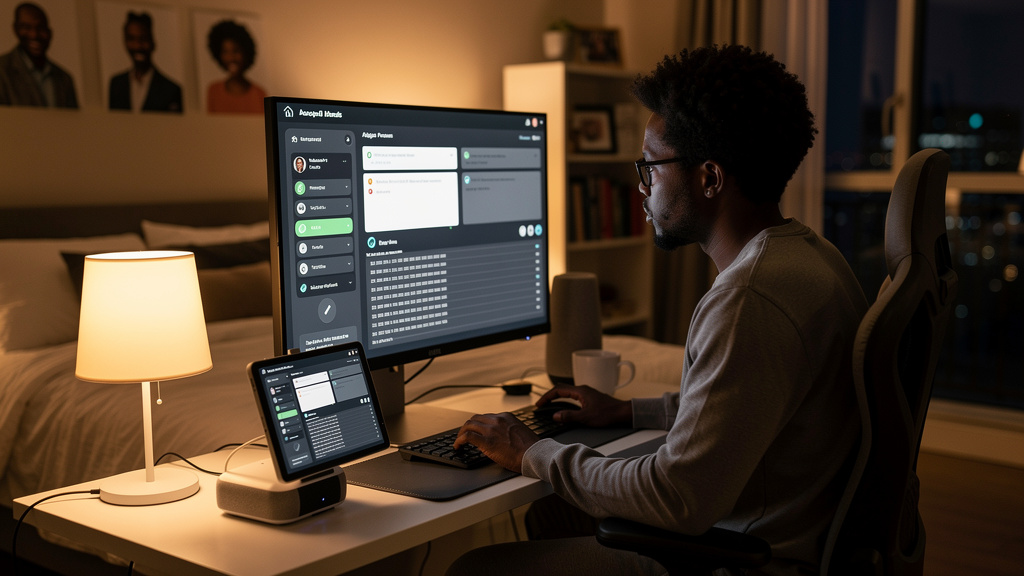
I have been trying to replace my Alexa morning briefing for two years. The Alexa one was fine for weather and the BBC, but the headline mix was wrong. Too many stories I did not care about, not enough from the sources I actually read. I wanted my own briefing: my sources, my order, my topics, read out by the smart speaker I already have on my nightstand. I did not want a second subscription, and I did not want my reading list leaving the house.
The setup I landed on uses RSS (a decades-old standard where sites publish a list of their latest headlines that you can pull programmatically) feeds, a local LLM (a large language model that runs on your own hardware instead of in a cloud provider’s data center) running on a small mini PC, and a self-hosted automation layer to glue them together. None of the news I read that morning ever leaves the house network. The whole thing runs in the time between when I go to bed and when I wake up, and the smart speaker just plays the result.
What the original Alexa briefing was doing
The Alexa Flash Briefing feature reads a list of configured sources out loud, top to bottom, with a brief pause between entries. The default sources lean toward AP, Reuters, and the BBC. Local weather and your calendar are mixed in. It is a useful feature, but the headline list is fixed. You can swap in custom RSS feeds, but the order and the framing are not under your control, and the natural-language glue between headlines is missing. You get a list of ten headlines. You do not get a briefing.
I wanted something that sounded like a person reading the news to me, not a list of links. I also wanted the briefing to pull from the sources I actually read, in the order I wanted, with no more than nine or ten stories total, so the whole thing takes under three minutes.
The hardware: a Beelink S13 Pro mini PC
The computer running the local LLM is a Beelink S13 Pro. It is a 4.5-inch square mini PC with an Intel N150 processor, 16 GB of RAM, and a 500 GB SSD. It cost about $300. It runs Windows 11 out of the box, but I installed a Linux distribution on it because the LLM stack I wanted is easier to set up on Linux. The mini PC sits in a closet near the bedroom, wired into the router, and runs 24/7. Power draw is roughly 10 to 15 watts, which is what a small nightlight draws.
Ollama is the runtime I use to manage the model. It is a small tool that handles downloading models, loading them into memory, and serving inference requests. The model I am using is small enough to fit in 16 GB of RAM and is fast enough to turn nine headlines into a 200-word briefing in under four minutes on the N150. That is the time budget I have, because the briefing is generated while I am asleep, and the automation starts it at 5 AM so it is ready by 7.
Generating the briefing is the slowest step by a wide margin. If you are using more powerful hardware, the same briefing takes about thirty seconds. On the mini PC, it is a few minutes. Both are fine for a morning briefing that nobody is waiting on.
Pulling the headlines from RSS
Most of the sources I wanted are mostly text. The BBC, The Guardian, and a Liverpool FC fan site all publish RSS feeds. RSS is older than I am, and most major news sites still publish one. I had to dig for a few of them, but every source I wanted had a feed URL within five minutes of searching.
n8n is the automation layer I use to wire everything together. It is a self-hosted workflow tool that lets you connect RSS feeds, LLMs, and home automation without writing glue code. n8n has an RSS Read node that takes a feed URL and returns the latest items. I added one of these nodes per source, three in total, and pointed them at the feeds I wanted.
Each RSS Read node returns whatever the feed has, which for my three sources was a combined 70-plus stories on a normal morning. I added Limit nodes to take only the first three stories from each source, which gave me nine headlines total. That is the right number for a three-minute briefing. More than ten and the briefing starts to feel like a press review.
Turning a list of headlines into a briefing
A list of nine headlines is not a morning briefing. A smart speaker reading them out loud, one after another, with no transitions, is the worst of both worlds. It is too short to feel like a briefing and too long to feel like a quick summary.
The local LLM is what closes the gap. I send it a prompt that includes the nine headlines, a one-line instruction on tone, and a target length of about 200 words. The model rewrites the list into a single paragraph that sounds like a person reading the news. The output starts with a brief framing sentence, walks through the stories in the order I specified, and ends with a closing line.
The model runs the rewrite in about three to four minutes on the mini PC. That is the entire bottleneck. The RSS pull takes seconds. The text-to-speech takes a few seconds. The LLM rewrite is the only step that takes real time, and the automation runs it early enough that it never matters.
Playing the briefing on the smart speaker
The last piece is the speaker. The smart speaker in the bedroom is already linked to Home Assistant, which is the self-hosted home automation platform I run on the same mini PC. Once the LLM finishes the rewrite, n8n passes the text to Home Assistant, which uses text-to-speech (TTS) to convert the text into audio. Home Assistant then sends the audio to the smart speaker, and the speaker plays it out loud at the scheduled time.
The first time I heard it, the briefing was about Liverpool signing a new player. That is the kind of headline I would have missed by 8 AM, because the news broke after I went to bed. The whole point of this setup is to catch those stories without me having to look at a phone first thing in the morning.
Trade-offs
This setup is not free in time. The first run took me about eight hours, including the Linux install on the mini PC, the n8n setup, the Ollama install, the LLM download, the workflow wiring, and the Home Assistant TTS configuration. About two of those hours were spent waiting for the LLM to download. The rest was real configuration time, including a few false starts on the n8n RSS node and the Home Assistant TTS service name.
Hardware is also a real cost. At $300 plus a Linux install, you are paying up front for the privacy and the local-only operation. The smart speaker you already have is the only piece that does not need replacing. If you do not have a mini PC or a small home server already, the cost-benefit math is different, and you should weigh the up-front spend against the ongoing privacy win.
LLM quality is the third trade-off. The small model that fits in 16 GB of RAM is good at rewriting headlines into prose, but it is not as good as a frontier model. If a headline is ambiguous, the rewrite can be slightly off. For a morning briefing, that is acceptable. If you were using this for anything where accuracy mattered, you would want a bigger model and bigger hardware, which is a different cost story.
Local-only is the whole point. None of the news I read that morning ever leaves the house network. The RSS feeds are pulled by my server, the LLM runs on my hardware, the TTS happens on my server, and the audio plays on my speaker. If a cloud-based equivalent ever gets built, it will be more convenient, but it will also know what I read every morning. I am not willing to make that trade.
What I would tell past me
- Start with the mini PC, not the LLM. The hardware is the longest lead-time part. Get the mini PC first, install Linux, get n8n running, and confirm you can reach the smart speaker from Home Assistant. The LLM is a ten-minute install once that foundation is solid.
- Pick a small LLM that fits your RAM. A 7-billion-parameter model on a 16 GB machine runs slowly but works. A 13-billion-parameter model will swap to disk and feel like a crash. The model size matters more than the model name.
- Schedule the briefing to run while you sleep. A four-minute generation step is fine if it starts at 5 AM. It is infuriating if it runs at 7 AM when you are waiting for it.
- Keep the news sources in plain text. RSS is the format. Anything that requires JavaScript to render, or login to read, or a paywall to bypass, will break the pull. Pick sources that publish a feed and stick to them.
If you already run a home server and you already have a smart speaker linked to Home Assistant, this whole project is a weekend build. If you are starting from zero, it is closer to a month of evenings. Either way, the morning you first hear your own briefing in your own voice on your own speaker is the morning you stop reaching for your phone first thing.