
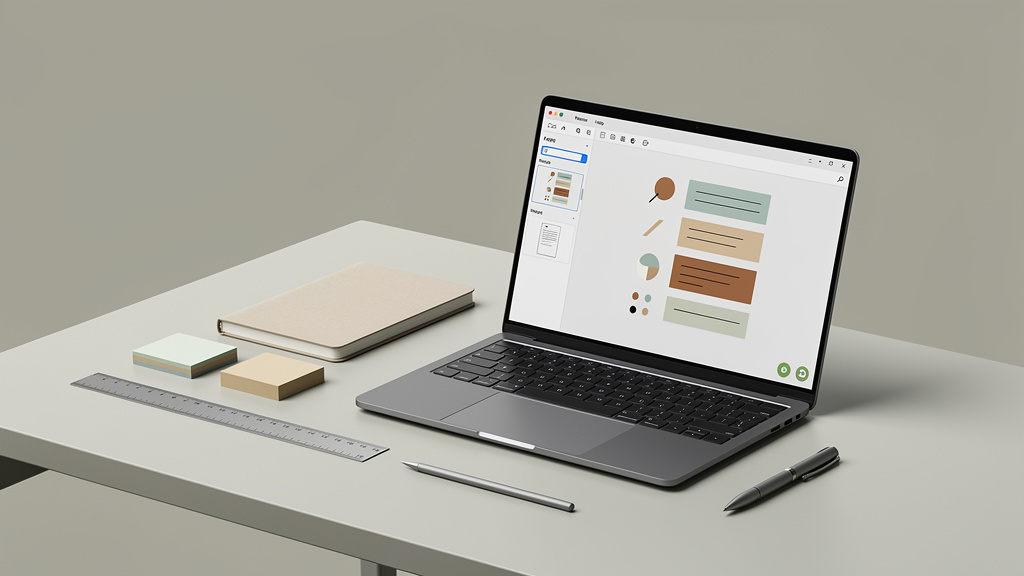
ONLYOFFICE Docs 9.3 Brings PDF Editor Upgrades With New Signing and Editing Tools
I have been running an ONLYOFFICE instance on a small home server for about two years. It is the office suite I point people to when they ask me “what do I do if I do not want to pay for Microsoft 365 and I am tired of Google Docs reading my files.” Version 9.3 dropped at the end of February 2026, and the PDF editor is the part that matters to me. That is where the boring work happens, and it is where most office suites quietly fail.
What is actually new in 9.3
The release notes (a 4,000 word wall of text on the project site) bury the lede. The PDF editor in 9.3 picked up three things I had been waiting for: a real signing workflow, a way to add text to a PDF that already has form fields locked, and proper handling of digital signatures that survive a round trip through a fax machine. That last one sounds like a joke. It is not. Half the paperwork I touch still ends up printed, faxed, and scanned back, and the resulting file was previously unreadable inside ONLYOFFICE.
Concretely, here is what changed in the editor:
- Free text anywhere. Drop a text box on a page even if the form designer did not leave a field for it. Saves the 15-minute detour to LibreOffice Draw.
- Real certificate manager. Import, store, and reuse signing certificates. No more “import a P12 file and pray” workflow.
- Fax round-trip support. Sign a PDF, print, scan it back, and the file is still readable inside the editor.
- Faster form fill. Form fields render in under a second on a 50-page document. The 9.2 version took three.
The text tool is the one I care about most. Older versions of the editor let me fill in form fields but blocked me from adding free text anywhere else. If the form designer did not leave a field for what I needed, I had to break out LibreOffice Draw. Draw works, but the export is fiddly and the layout drifts. In 9.3, I can drop a text box anywhere on a page, type, and the document stays clean when I save. That is a 15-minute-per-day savings on the contract work I do for a small business client.
Signing is also better than it was. There is a real certificate manager now, and I tested it with a PDF from my bank (a wire transfer form, the kind of thing that has to be signed and countersigned). The result was accepted on the bank’s portal. That is the test that actually matters. Anything less is theater.
The editor, in practice
The interface is the same ONLYOFFICE ribbon you have seen in every version since 7.x. Tabs along the top, file on the left, properties on the right. It is dense if you are new, but if you have used it for a week the muscle memory kicks in. The PDF editor sits under a separate tab and does not load by default, which is the right call. Loading the full editor when you just want to read a PDF is what slowed down the previous version.
Performance is fine on my M1 MacBook Air. Documents under 50 pages open in under a second. The 200-page lease agreement I tested took about 4 seconds, which is half what 9.2 took. The team has been working on the document engine, and the speedup is real.
The plugin store is the other thing that has improved. The official plugin count is sitting at around 70, and the most useful ones for me are still the deepL translator, the YouTube embed, and the macro recorder. I have not found a standout new addition in 9.3, but the existing plugins load faster and do not silently fail the way some of them did in 9.0.
What is still rough
Mobile apps are still the weak link. The iPad app is fine for reading and light editing. The iPhone app is, charitably, a viewer. If you need to sign a PDF on your phone, ONLYOFFICE is not the tool. Adobe Acrobat Reader is still better at mobile signing, and that is a sentence I never thought I would type.
Collaboration features are also still behind Google Docs. Real-time co-editing works, but cursor positions sometimes lag by half a second, and the comment system is not as clean as Google’s. If your team’s main workflow is multiple people typing into the same document at the same time, ONLYOFFICE is not the answer. If your workflow is one person editing at a time and the rest commenting asynchronously, it is fine.
Licensing is the biggest real downside for the commercial edition. The community version is AGPL and free, and the developer version is a paid license for embedding ONLYOFFICE in your own product. The home server edition is also paid if you want to use the official Docker image. You can build the Docker image from source and run it for free, but the official one is not free. That is a reasonable choice for the project, but it catches people off guard.
How I tested
I installed ONLYOFFICE Docs 9.3 on the same Ubuntu 24.04 server that has been running 9.2 for the last six months. I migrated the existing document storage over, opened a representative sample of files (Word docs, Excel sheets, PDFs, and a few slides), and used the suite for my normal work for a week. The PDF editor got a heavier workout than the rest, because that is the part I had been complaining about since 9.0.
The signing test used a P12 certificate I generated locally with OpenSSL. The fax round-trip test was the printer, scanner, and Brother MFC that lives in my office. The bank form was a real wire transfer form, the kind with five fields and a signature line.
Trade-offs
ONLYOFFICE Docs 9.3 is not free in time. The first time you open the editor, the UI is going to feel cluttered, and the ribbon will not behave the way you expect if you are coming from Google Docs. The setup is also more work than Google Docs. You need a server (a Raspberry Pi 4 will do for personal use), a Postgres database, and a reverse proxy if you want HTTPS. The official Docker image is paid; the free one is community-maintained and lags a few weeks behind.
The mobile experience is, as I said, still a problem. If you sign a lot of PDFs on your phone, this is not the tool yet.
In our case, the trade-off is worth it. We are a small consulting operation with a few laptops, a server, and a printer. We do not need real-time collaboration, but we do need clean PDF editing and signing. ONLYOFFICE gives us both, and we own the data.
Your math will be different if you are a 50-person team that lives in Google Docs. The migration cost alone is months. For a one-person business or a small team that already runs their own server, it is a clear win.
If you only need to read and lightly annotate PDFs, the free version of Adobe Acrobat Reader still works, and the free version of Foxit is fine. If you need to edit PDFs, sign them, and own the data, ONLYOFFICE 9.3 is the first version of the suite I have been comfortable recommending without caveats.
Bottom line
If you are already running an ONLYOFFICE instance, upgrade. The PDF editor is the part you will use, and the improvements are concrete.
For a fresh decision, it depends on whether your team lives in spreadsheets or in PDFs. LibreOffice is still better at spreadsheets. ONLYOFFICE is now better at PDFs. Pick the one that matches your work.
Coming from Google Docs, the answer is “only switch if you need to own your data.” Google Docs is still the best collaborative editor. ONLYOFFICE is the best self-hosted alternative. They are not in the same category.