
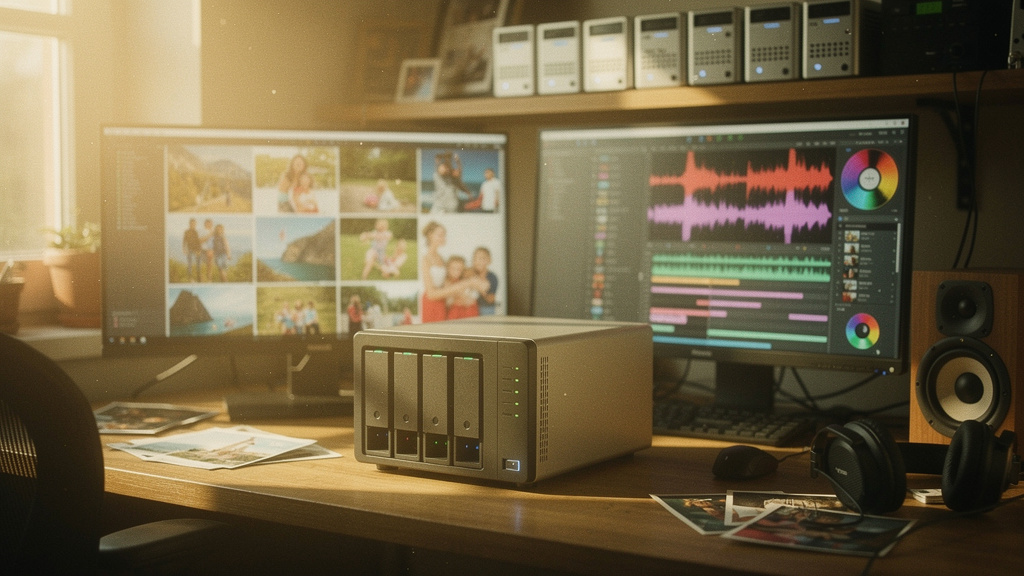
I have been running a NAS (network-attached storage, a small always-on box with several hard drives that exposes files over the local network) at home for about a decade, and for most of that time my backup strategy was wishful thinking. I had a mirror RAID (redundant array of independent disks, a configuration where the same data is written to two or more drives so a single drive failure does not lose data) and I assumed that meant I was safe. Then a power supply died in 2023, took a drive with it, and the RAID controller decided the volume was unrecoverable. I lost about a year of photos, a quarter of my music library, and the better part of a weekend.
The five habits below are what I changed after that. None of them are clever. All of them are things I should have done years earlier. They are the result of reading a lot of postmortems, breaking my own setup a few more times, and finally treating backups as a system I have to test rather than a feature I bought.
Habit 1: the 3-2-1 rule, enforced
The 3-2-1 rule is the standard answer and it is the right one. Three copies of your data, on two different media types, with one copy off-site. The mistake I made for years was reading that rule and stopping at the word “RAID.” RAID is not a backup. RAID protects you against a drive failure. It does not protect you against accidental deletion, a bad firmware update, a fire, a flood, or a stolen NAS.
My current setup is the textbook version of 3-2-1 and it is not complicated.
- Copy one: the NAS itself. A Synology DS923+ with two SSDs (solid-state drives, flash-based storage with no moving parts) for the active dataset in a mirror.
- Copy two: a USB drive that rotates weekly. I keep a stack of four drives, one in the NAS bay, one in a drawer, one at my parents’ house, and one in a fireproof safe. The rotation script runs every Sunday night.
- Copy three: encrypted cloud sync. Backblaze B2 runs nightly on the most important folders (about 200 GB of “I cannot lose this” data: documents, current project files, irreplaceable family photos). The cloud copy is the off-site piece.
The whole arrangement costs about $15 a month in cloud storage and $200 every couple of years in hard drives. That is a small price for never having to do a panicked recovery again.
Habit 2: snapshots, not just file copies
A snapshot is a point-in-time copy of a filesystem (a logical structure that organizes files on a drive) that takes almost no extra space because it only stores the changes since the last snapshot. Most modern filesystems support them: ZFS (a filesystem with built-in snapshot, checksum, and replication features), Btrfs (a similar Linux-native filesystem with copy-on-write snapshots), and even ReFS on Windows Server. Synology’s Btrfs implementation gives you a snapshot scheduler out of the box.
Why snapshots matter is the part I missed for years. A file-copy backup protects you against a dead drive. It does not protect you against a bad rm -rf command or a corrupted file that gets copied faithfully into the backup. A snapshot lets you roll back to last Tuesday at 4 PM, before the bug ate the database, in about thirty seconds.
My NAS keeps hourly snapshots for 24 hours, daily snapshots for 7 days, and weekly snapshots for 6 weeks. The total overhead is about 12 percent of the dataset size, because most files do not change in a given hour. I have used the hourly snapshots twice this year, both times because I was running an experimental script that misbehaved. The recovery was a one-line command. The first time I tried to recover from a file-copy backup that had been quietly corrupted for a month, the recovery took eight hours and three cups of coffee.
Habit 3: test the restore, every quarter
The single most important habit on this list, and the one almost nobody does. A backup you have never restored is not a backup, it is a hope. The first time I actually tried to restore from my NAS backup, I discovered that the restore script had a typo in the destination path and had been writing to a non-existent folder for six months. The cloud copy saved me. The cloud copy, which I had also never tested.
I now schedule a quarterly restore drill. I pick a random folder, copy it back to a sandbox machine, and verify the files actually open. Photos open. Documents open. The 200 GB music library plays. The script logs a timestamp and a checksum (a short hash of the file’s contents that lets you verify it was copied correctly) for each restored file. The whole drill takes about an hour and has caught two real bugs in the last two years.
The drill also makes me honest about what I am backing up. The first run surfaced that my “documents” backup excluded a folder called “inbox” that I was using for active work. I had assumed it was included. It was not. The bug was in my own config.
Habit 4: monitor the drives, not the volume
A NAS reports that the volume is healthy. That tells you the array is functioning. It does not tell you that one of the underlying drives is starting to throw bad sectors (small regions of the disk that the drive can no longer read or write reliably, usually a sign the drive is failing). Smart monitoring (S.M.A.R.T., Self-Monitoring, Analysis, and Reporting Technology, a built-in health-monitoring system on most modern drives) tells you the latter, and it is the early-warning system you actually want.
Synology, TrueNAS, and unRAID all expose S.M.A.R.T. data, and they all let you schedule long self-tests. I run a long self-test on every drive on the first Sunday of the month, and I have Grafana (an open-source dashboard tool) graphing the temperature, reallocated sector count, and pending sector count for each drive. The dashboard has a section called “drives to watch” that pulls anything with a non-zero reallocated count.
In the last three years, this has flagged two drives that were about to fail. Both were replaced before the volume noticed. The first time I tried to recover from a dead drive on my old setup, the volume noticed at the same time the rest of the house did, which is to say too late.
Habit 5: keep the boot media and config versioned
This one is the lesson that hurt the most. The NAS itself is a small Linux box with a bootloader (the small program that starts the operating system when the box powers on) and a config. If the boot drive dies, you have a pile of disks and no way to mount them. The 2023 incident started here. The boot SSD on my old unit died at the same time as the data drive, and I spent a day figuring out the right incantation to mount the surviving array on a different machine.
My current setup exports the full Synology config (which is a single DSM system config export) to the cloud backup every Sunday. I also keep a separate USB stick with a Linux live image and a one-page cheat sheet on how to mount a Btrfs RAID from a foreign machine. I have not had to use the cheat sheet yet. The day I do, I will be glad it exists.
Trade-offs
These habits are not free in time. The monthly S.M.A.R.T. tests add a small amount of disk activity. The quarterly restore drill costs an hour I would rather spend on something else. The weekly USB rotation means I have to physically swap a drive every Sunday. The cloud backup costs $15 a month and uploads about 12 GB on a busy night.
The bigger trade-off is complexity. Each layer of backup is another thing that can break. The cloud copy has failed twice this year because of a bad API token. The USB rotation script crashed once because the drive was not actually mounted. Both failures were caught by the next layer and the monitor, but the system is not a “set it and forget it” appliance. It is a system, and it needs attention.
For a home user with a few terabytes of photos and documents, the system is overkill. For a freelancer with client work on the same machine, it is the minimum. For anyone running a small business from a home office, the system is the difference between a recoverable incident and a company-ending one.
What I would tell past me
If I could send a message back to the version of me that bought a NAS in 2015 and assumed RAID was enough, I would say three things.
- RAID is not a backup. It is a hardware reliability feature. The two are different problems and they need different solutions.
- Test the restore. Every quarter. If you have never actually pulled a file back out of the backup, you do not have a backup, you have a copy that may or may not work.
- Automate the boring parts. The USB rotation, the snapshot cleanup, the S.M.A.R.T. test, the cloud sync. If any of those steps requires a human to remember to do it, the human will eventually forget. The script does not forget.
- Document the recovery path. A one-page cheat sheet for how to mount the array on a foreign machine has paid for itself already, just in the calm it gives me.
A reliable backup system is not about clever software. It is about five boring habits, repeated until they are muscle memory. The setup took me a weekend. The peace of mind has lasted three years.