
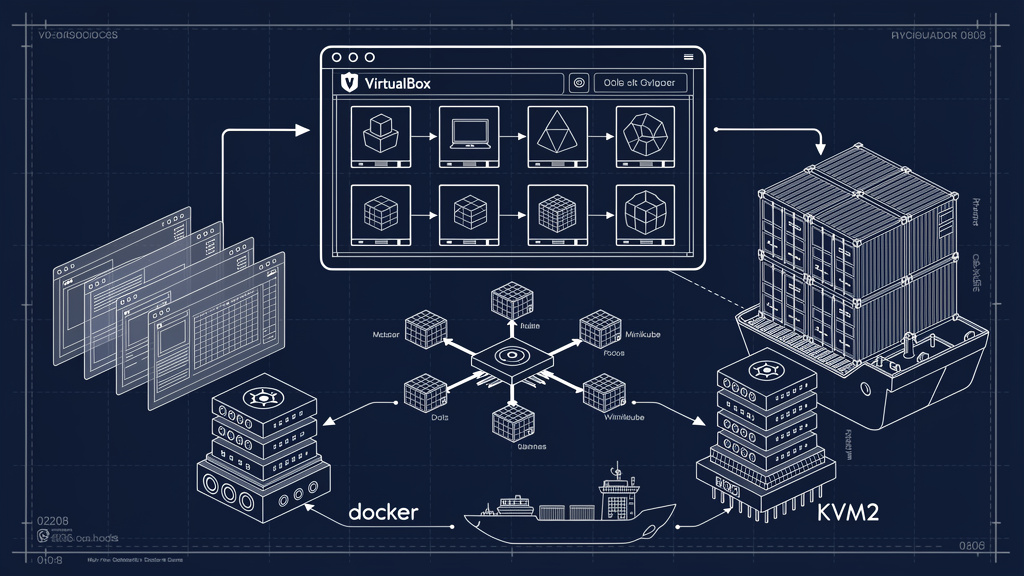
I Switched Minikube From Docker to KVM2, And It Was Worth the Fuss
Minikube (a tool that runs a single-node Kubernetes cluster locally for development and testing) defaults to the Docker driver because it is the lowest-friction option. I used that default for a year. The cluster was slow, the file system mounts were flaky, and a few of my test workloads could not run at all because they needed mount syscalls (system calls that the kernel uses to attach filesystems) that the Docker driver did not support. I switched to the KVM2 driver (a Linux kernel virtualization driver that uses KVM, the Kernel-based Virtual Machine, to run a real VM), and most of those problems went away.
The switch is not free. KVM2 requires a Linux host with hardware virtualization extensions enabled in the BIOS, a few extra system packages, and a different mental model for what is happening on the machine. If you are on macOS or Windows, the equivalent is the hyperkit or hyperv driver. The trade-off is similar in spirit: you give up some convenience and gain real VM isolation.
Why the Docker driver falls short
The Docker driver runs the Kubernetes components as containers inside the host’s Docker daemon. That sounds fine, but it means the Kubernetes pods (the smallest deployable units in Kubernetes) are nested: a pod runs as a container, and that container is itself running on a host that has its own container runtime. The nesting is the source of many issues.
File system mounts are the most common pain point. A pod that uses a hostPath volume (a Kubernetes volume that mounts a file or directory from the host node into the pod) is, in the Docker driver, asking Docker to mount a directory from the host into a container that is pretending to be a node. The chain does not always work. I have seen emptyDir volumes (Kubernetes-managed temporary storage) fail, hostPath mounts produce empty directories, and bind mounts lose their contents between pod restarts.
Networking is the second common pain point. The Docker driver uses a bridge network (a virtual network that connects containers to each other and to the host) on the host. That works for most cases, but certain CNI plugins (Container Network Interface plugins, the network add-ons that Kubernetes uses to give pods IP addresses) do not work well in the bridge, and some advanced networking features (NetworkPolicy, IPv6) are not supported at all.
The third pain point is performance. Containers-on-containers add overhead. For CPU-bound workloads, the overhead is small. For I/O-bound workloads, especially those that touch the file system, the overhead is noticeable. The KVM2 driver runs Kubernetes inside a real VM, which means the I/O paths are the same as production.
The KVM2 setup
On a Linux host, the KVM2 driver uses KVM to run a lightweight VM. The VM has its own kernel, its own file system, and its own network namespace (a private network view of the system). Inside the VM, Kubernetes runs as it would in production. Outside, on the host, the VM appears as a process managed by QEMU (a hardware emulator and virtualizer that KVM2 uses under the hood).
The setup requires a few things:
- A Linux kernel with KVM modules loaded (
kvmandkvm_intelorkvm_amd). - The QEMU packages installed (
qemu-kvmon Debian/Ubuntu,qemu-kvmon RHEL/Fedora). - The user needs read/write access to
/dev/kvm. This usually means being in thekvmgroup. - Hardware virtualization extensions enabled in the BIOS (Intel VT-x or AMD-V). Most modern machines have these, but they may be off by default.
On Debian and Ubuntu, the install is straightforward:
sudo apt install qemu-kvm libvirt-clients libvirt-daemon-system
sudo usermod -aG kvm $USER
sudo usermod -aG libvirt $USER
Log out and back in for the group changes to take effect. Verify the setup with lsmod | grep kvm (the modules should be listed) and kvm-ok (a small tool that confirms the system can use KVM).
Once the host is ready, switch minikube to the KVM2 driver:
minikube config set driver kvm2
minikube delete
minikube start
The delete is important. Switching drivers on an existing cluster does not work cleanly. Starting fresh is the reliable path.
What improves, and by how much
The improvements depend on what you were doing. For pure Kubernetes work (deploying manifests, watching pods, hitting services), the difference is small. The KVM2 driver is a bit slower to start (the VM has to boot) but is otherwise comparable.
For file system work, the difference is large. Pods that mount host paths work. emptyDir volumes persist between pod restarts. Bind mounts behave as expected. I have a development workflow that copies a large git repo into a pod, and the Docker driver made this slow and unreliable. On KVM2, it is fast and works.
When it comes to networking, the difference is also large. CNI plugins that do not work on the Docker driver work on KVM2. NetworkPolicy enforcement is consistent with what I see in production. IPv6 works. Ingress (the Kubernetes feature that exposes HTTP routes into the cluster) works without weird port-forward gymnastics.
A total shift shows up in workloads that need mount syscalls or other privileged operations. The Docker driver runs in a user-mode container that does not have the privileges. The KVM2 driver runs in a VM where the inner container can have real privileges (within the VM’s boundary). Workloads that were impossible become possible.
The cost: a few rough edges
KVM2 is not a free lunch. The startup time is longer (around 30-60 seconds for a cold start, vs 5-10 seconds for the Docker driver). The memory overhead is higher (the VM needs a baseline of memory that the Docker driver does not). The disk usage is higher (the VM image is a few gigabytes).
If your development workflow involves constantly starting and stopping the cluster, the startup time matters. If your workflow involves keeping the cluster running and deploying to it, the startup time is a one-time cost. Mine is the latter, so KVM2 wins.
Another rough edge: certain host integrations are harder. The Docker driver can share the host’s Docker socket, which is convenient for tools that talk to Docker. The KVM2 driver runs Docker inside the VM, isolated from the host. If you need the host’s Docker daemon, you have to set up a port forward.
A third rough edge: file syncing between host and VM is slower than between host and a container. Tools like sync in minikube work, but they take a few seconds to copy large directories. For interactive development, the round trip is noticeable. For CI, it does not matter.
When to switch
Switch if you are doing real Kubernetes work, especially if you are testing workloads that involve file system mounts, privileged operations, or advanced networking. The KVM2 driver matches production behavior more closely, and the debugging experience is much better when your local cluster behaves like the real thing.
Stay on the Docker driver if you are doing basic Kubernetes exploration and you do not have the time to set up KVM. The Docker driver is good enough for the tutorial cases. The KVM2 driver is what you switch to when the tutorial cases no longer cover what you need.
The other reason to switch is consistency with production. If your production cluster runs on a VM (which most managed Kubernetes services do), the KVM2 driver is the closer match. The Docker driver is a special case that exists for convenience, and the differences from production show up in unexpected places.
Trade-offs
A summary of the trade-offs, in case you are deciding:
- The Docker driver is faster to start, lighter on resources, and easier to set up. The KVM2 driver is slower, heavier, and more involved.
- The KVM2 driver is closer to production behavior, supports more features, and handles file system mounts reliably. The Docker driver is fine for simple cases and falls apart for complex ones.
- The Docker driver is the default. KVM2 requires explicit configuration.
- The KVM2 driver is Linux-only. On macOS, the equivalent is
hyperkit. On Windows, it ishyperv. Both have similar trade-offs.
I switched and never went back. The first hour of setup cost was paid back in the first week of smoother development.