
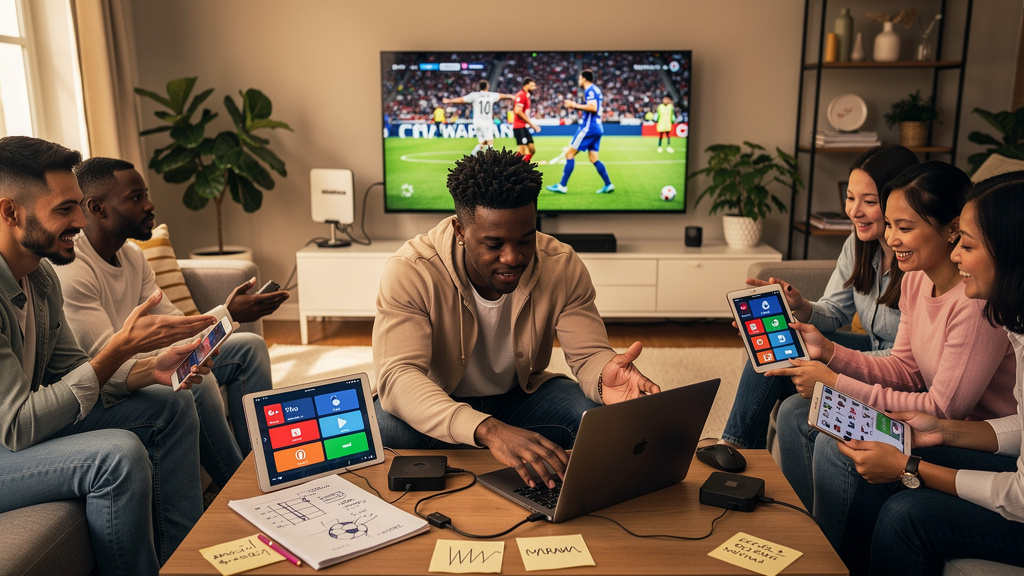
The 2026 FIFA World Cup kicked off on June 11 and runs through July 19. Group stage matches run through the 27th, then knockout matches start June 28, quarterfinals and semifinals follow, the third-place match is on Saturday July 18, and the final is on Sunday July 19. The tournament is spread across 16 cities in Canada, Mexico, and the United States, which makes it the first World Cup hosted across three countries and the largest in the tournament’s history. Cable is no longer required to watch any of it, and several legal options will let you watch for free.
What you actually need to know about the host cities
The 16 host cities are Atlanta, Boston, Dallas, East Rutherford, Guadalajara, Houston, Kansas City, Los Angeles, Mexico City, Miami, Monterrey, Philadelphia, San Francisco, Seattle, Toronto, and Vancouver. If you are attending in person, the spread across time zones means you can realistically attend two matches on the same day if you pick your cities carefully. If you are watching from home, the spread means the broadcast schedule covers most of the waking hours for viewers in North America and Europe.
The tournament is hosted across three countries because FIFA expanded the field to 48 teams, which required more stadiums than any single country could host. The political backdrop is that the U.S. hosting arrangement has raised concerns for some athletes and fans given the current immigration climate, and several teams have publicly discussed the situation. For at-home viewers, the practical effect is that some matches will be played in venues with stricter security and some with looser security, and the in-stadium experience may differ from city to city in ways that have nothing to do with the soccer.
What you need to watch without cable
The minimum equipment is a device with a web browser and a working internet connection. Laptops, phones, tablets, and streaming boxes (Roku, Fire TV, Apple TV, Chromecast) all work. If your internet is fast enough for streaming video, it is fast enough for the World Cup. You do not need a smart TV. You do not need a cable subscription. You do not need a satellite dish.
The minimum software is a web browser and a streaming app for whichever service carries the match you want to watch. The official broadcasters for the 2026 tournament are split by territory. In the United States, the matches are split between Fox and FS1 for English-language coverage and Telemundo and Universo for Spanish-language coverage. In the United Kingdom, the BBC and ITV split the matches. In Canada, the matches are on TSN and RDS. In Mexico, the matches are on TelevisaUnivision and TV Azteca. None of those channels require a cable subscription to stream if you go through the network’s own streaming app or website.
The free and cheap streaming options
Several legal paths will let you watch the World Cup without paying for cable:
- The free over-the-air broadcast. Fox and Telemundo are both available over the air with a $30 antenna in most U.S. markets. The picture quality is better than cable in most cases because the over-the-air signal is uncompressed.
- The network streaming apps. Fox Sports, the BBC iPlayer, ITV Hub, the TSN app, and the RDS app all stream the matches live for free with a TV-provider login. If you do not have a TV provider login, several of the apps offer a single-match pass or a tournament pass.
- The free trial runs. Most major streaming services (YouTube TV, Hulu Plus Live TV, Sling TV, FuboTV) are running promotional free trials that cover the group stage. If you only want to watch the group stage, a single free trial covers the whole thing.
- The VPN route. If you are traveling outside your home country, a VPN will let you stream from your home broadcaster’s app. This is legal in most jurisdictions but may violate the broadcaster’s terms of service.
The paid streaming options
If you want a stable, long-term solution that does not depend on free trials or rotating apps, a live TV streaming service is the cleanest option. YouTube TV, Hulu Plus Live TV, Sling TV, and FuboTV all carry Fox and FS1 (or the equivalent in your country). Pricing is in the $50-80 per month range depending on the package. The catch is that several of the services have dropped regional sports networks from their base packages in the last year, and Fox’s regional sports channels are not the same as the Fox broadcast network, so double-check that the channel you want is actually in the package before you sign up.
The trade-off vs. free options is reliability and convenience. The free options work but require more setup and may have lower stream quality during peak matches. The paid options are one-click and have higher stream quality.
Trade-offs
The cost of free options is time. Setting up an antenna, configuring a streaming app, finding a VPN that works for your home broadcaster, and managing free-trial timing all take time. The cost of paid options is the monthly subscription, which is in the $50-80 range for the duration of the tournament. For a one-month tournament, the math works out to roughly $2 per match if you watch every game, or $5-8 per match if you only watch the knockout rounds.
Free over-the-air broadcast requires a digital antenna, which is a one-time purchase in the $20-50 range. The signal is uncompressed, so the picture quality is often better than what you get through a streaming service. The catch is that the broadcast signal is subject to local geography. If you live in a valley, a dense urban area with tall buildings, or more than 50 miles from the broadcast towers, the antenna may not pick up a usable signal. In that case, a streaming service is the only practical option regardless of cost.
Streaming apps require a TV-provider login in most cases. If your home internet is bundled with a TV package you forgot to cancel, you may already have a login that works. If you do not, the apps offer single-match passes and tournament passes that are in the $5-15 range depending on the broadcaster. The single-match pass is the right option if you only want to watch one or two specific games.
Free trials require careful timing. The trial periods are typically 7-14 days, and the group stage runs for 17 days. If you start the trial on June 11 (the opening match), the trial covers the group stage but not the knockout rounds. If you start on June 24 (the last week of group stage), the trial covers the early knockout rounds but not the final. The cleanest timing is to start a trial on June 24 and cancel before July 8, then start a second trial on July 8 if you want to watch the semifinals and final. Most services will let you re-start a trial after a 30-day cooldown, but this varies by service and may violate the terms of service.
If you are a casual fan who only wants to watch the final, the free over-the-air broadcast is the cleanest path. If you are a serious fan who wants to watch every match, a paid streaming service with a one-month subscription is the cleanest path. The free trial run is the best of both worlds if you time it right, but the timing has to match the tournament calendar.
If you only do one thing from this article, set up the free over-the-air broadcast before the knockout rounds start on June 28. A $30 antenna and 30 minutes of setup is all you need to watch every match in the tournament without paying for cable or a streaming subscription. For serious fans, a one-month streaming subscription is the second-best option and is worth the cost if you want the convenience.