
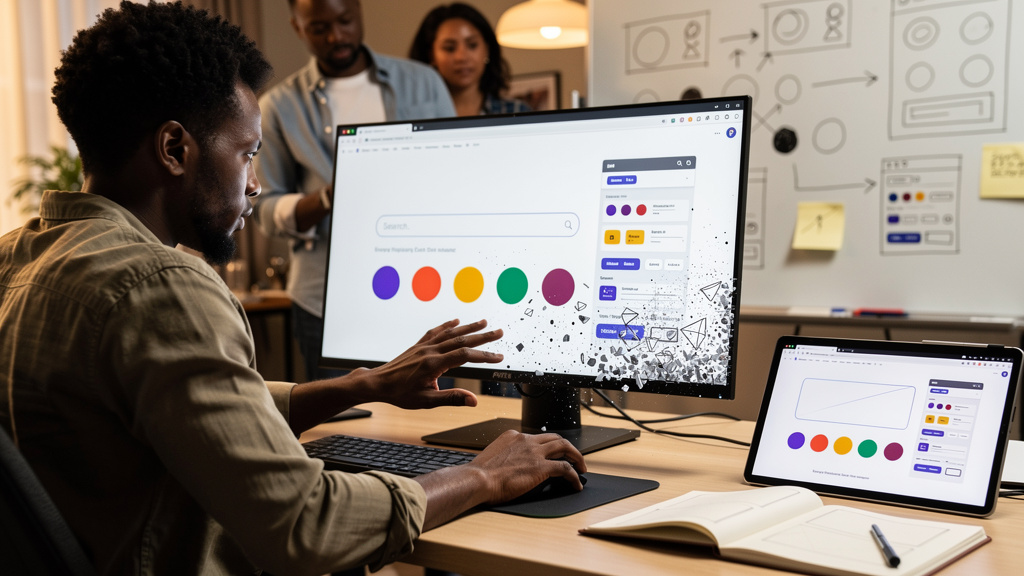
I fired up google.com this morning, typed one word, and watched roughly half of a search results page dissolve into particles. Then I pressed a second button and the page reassembled itself. That was eight years after the marketing campaign that built the feature had ended. The egg is still on the production surface. That is the interesting part.
If you have not tried it, here is the recipe in one line. Open google.com on a desktop browser, search for the word “Thanos”, and click the small golden gauntlet that appears next to the result count. Press the button again and the page undoes itself. That is the entire feature. The reasons it has survived this long are subtler than the feature itself.
Why it still lives on the production page
Most Easter eggs (the small hidden interactions a product team ships without flagging them in release notes) get pulled the week their tie-in ends. The snap was built for the Avengers: Infinity War release in 2018, ran for a few weeks, and then nothing was supposed to happen. Something did. The feature stayed in the codebase. It is still there eight years later, accessible from a single search query, with no account, no extension, no flag to enable. Most campaign assets do not survive that long. This one did.
The reason is structural, not sentimental. The mechanic underneath the snap does not depend on the movie. It is a self-contained piece of front-end logic that mutates the page in front of you. The Avengers tie-in was the reason it shipped, not the reason it works. Eight years on a real product surface is the receipt for that distinction. Campaign eggs that only work because the campaign is currently running get cleaned up. Mechanic eggs that work without their marketing context stay.
What you actually press
The trigger is the bare word “Thanos”, with no other words around it. Search for “Thanos snap” and you get normal results. Search for “Marvel Thanos” and you get normal results. Search for “Thanos” and a small golden gauntlet icon shows up in the results header, just to the right of the result count. Click it. Press the same icon again to reverse. There is no third state. There is no level system. There is no animation when you have already snapped.
A few things to know before you try it:
- Desktop browser only. The mobile app does not show the gauntlet.
- No account, no extension, no cookie setting required.
- The page underneath stays usable. You can still type a new query mid-snap. You can still click through to a result that has not been dusted yet.
That last point is the most important one, and it is the constraint the feature was designed against, not a coincidence.
Per-element randomness is the trick
The button does not toggle a state on the whole page. It runs an independent coin flip per element. The result count gets one flip. The “Images” tab gets one flip. The “News” tab gets one flip. The “Books” tab gets one flip. Each blue link gets one flip. Each green URL underneath gets one flip. Heads, that element stays. Tails, it disappears with the dust animation. Run it four times in a row and you will not lose the same set twice. There is no scripted version of this page that always keeps the same five links. The randomness is the joke.
Watch the page long enough and you eventually get a configuration where almost everything is gone and a single tab like “Books” is left floating in the middle of the layout with nothing around it. That is the best outcome, and it is pure luck. You cannot make it happen by trying harder. You can only make it happen by pressing the button a lot. Which is part of the design, and part of why the egg is interesting enough to keep pressing.
The dust animation is the part that does the work
The disappearance is a particle effect, not a fade. Each surviving UI element comes apart into small fragments, and the fragments drift up and slightly to the right with a small per-fragment delay. The top of a word leaves before the bottom of the same word. At full speed the whole effect finishes in under two seconds, which is honestly too fast to read. In the browser dev tools, drop the animation rate to quarter speed and the dispersion becomes visible frame by frame. It stops feeling like a special effect. It starts feeling like a physics simulation on a small field of points.
The undo uses the same particles in reverse. Each fragment has to travel back to roughly where it came from. The whole reversal takes the same time as the original effect, plus the same per-fragment stagger. None of this is necessary. The feature would still work with a plain cross-fade. The team chose to ship the harder version, and the harder version is the reason the feature still reads as a designed interaction eight years later instead of a placeholder.
What the related google.com eggs get wrong
A handful of similar features share the same google.com search-page surface. The black hole egg takes the entire page at once, with no coin flip, which makes it less interesting because there is nothing to compare across runs. The gravity egg dumps everything into a heap at the bottom of the screen, which is funny once and then done. The Zerg Rush egg spawns a swarm of small O letters that chew through the page and let you click to defend, which is the only other egg that asks for repeated play. The Matrix egg rains falling text but leaves the layout intact, which makes it feel like wallpaper more than an interaction.
The snap is the only one of these that combines three things: per-element randomness, a non-trivial animation, and a one-click undo. Each of those is a small piece of work on its own. Together they make the egg feel closer to a toy than to a marketing trinket. The toy is what survived. The trinket would have been cleaned up.
Trade-offs
Almost anyone who has a desktop browser and ten spare seconds should try the snap at least once. The mechanic is the point and you cannot get it from a description.
The mechanic itself has limits. The trigger phrase is a single hard-coded string, so the list of searchable characters cannot grow without a deploy. The animation is also a real piece of front-end work, not a CSS fade, which is part of why it still feels solid on a slow connection. None of that is exposed as an API. You cannot embed the snap on a third-party page. You cannot fork it. The experience is google.com or it is nothing, which is fine for an Easter egg but worth saying if you were hoping to use the mechanic somewhere else.
A fair argument is that breaking the page on purpose is bad practice. In this specific case the destruction is decorative. Functional elements stay usable. The dust does not remove the ability to type, to click, or to navigate. The egg earns its destructiveness by not actually breaking the work you came to the page to do. That is the rule.
If I could send a message back to the version of me that thought Easter eggs were a soft signal, I would say three things.
- Touching a real surface beats decorating a fake one. A button that mutates the actual product page is more interesting than a button that opens a hidden splash screen, and it is also harder to ship.
- Constraint is the design. The handful of spared UI elements are not a bug. They are the constraint that lets the egg live on the production surface instead of a sandbox.
- Mechanic over marketing. If the interaction is the joke, the tie-in can end and the feature keeps going. Eight years on a real page is the receipt.
- Test it with the marketing stripped out. Ask whether the mechanic still earns its place on the page once the campaign is gone. If the answer is no, you shipped a campaign asset, not an Easter egg.
If you only do one thing from this article, open google.com, search for the word “Thanos”, and click the gauntlet. Then press it four more times. The configuration where only “Books” survives is worth seeing once.