
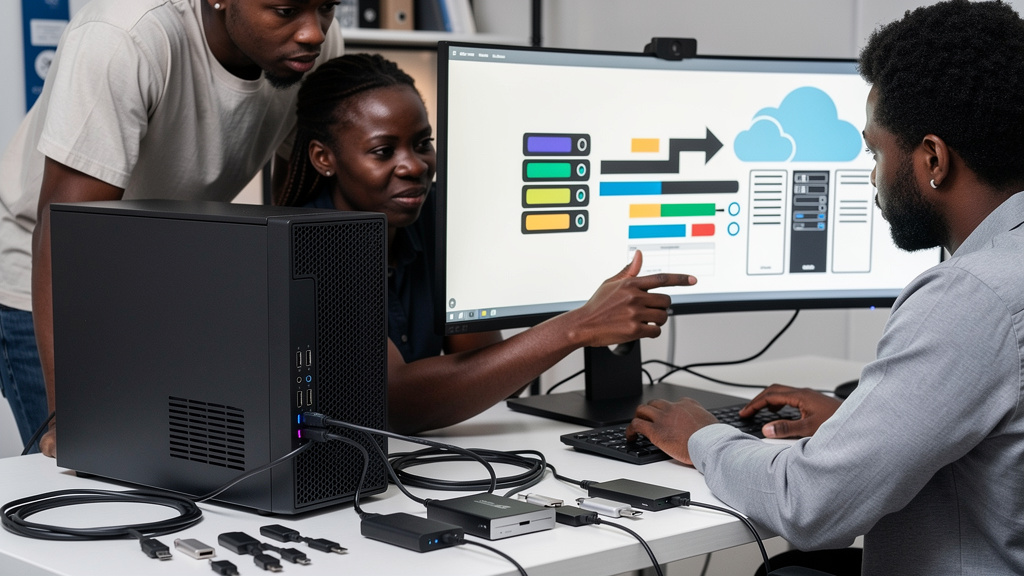
Every desktop motherboard sold in 2026 lists at least one USB-C header on the back panel. Most list two or three. The spec sheet celebrates them. The reviews celebrate them. The actual user rarely plugs into them. This is not because the port is broken. It is because the marketing pitch for USB-C was written for laptops and got pasted onto desktops without anyone checking whether the use cases transfer.
The argument here is not anti-USB-C. The port changed laptops for the better. The argument is that the cost is real, the use cases on a tower are narrower than the spec sheet suggests, and buyers should know the gap before paying for it.
Where the pitch comes from
The marketing pitch for USB-C on a desktop is inherited from the laptop pitch. On a portable machine, the consolidation story was genuine. Manufacturers collapsed power, data, and video into one plug, thinned the chassis, and shipped devices that only need two cables total. That pressure never applied to towers. A mid-tower has room for a dozen full-size ports and no incentive to shrink. The back panel of a desktop is one of the few places in computing where having every legacy connector is genuinely useful, not cluttered. Adding USB-C to that mix does not remove anything. It just adds another port without a clear job.
When the rear-panel USB-C on a desktop gets used at all, it tends to be for one of three things, and none of them are the headline features. A phone on charge. A portable SSD for a one-off file move. A laptop sync when cloud storage is being annoying. Notice what is missing from that list. Nobody is driving a monitor through the rear-panel USB-C on a tower. Nobody is running Ethernet through it. Nobody is using it as the daily power cable for the desktop itself. For all of those jobs, the older ports already on the case do the work, and they do it without the cable ambiguity that USB-C brings to the table.
The narrow set of real reasons to want it
Front-panel USB-C is the closest thing to a universally useful reason to want the port on a tower. Phone manufacturers standardized on USB-C years ago, and most desktops ship with at least one front-panel USB-C port for that reason. If you charge your phone at the desk, you use that port daily. That is a real win. It is also a narrower win than the spec sheet suggests, because it requires the port to be on the front of the case, where charging actually happens. A rear-panel USB-C port that nobody plugs into is a different category of wasted money.
The other situations that legitimately earn the cost are: docking a laptop for fast file transfers without an adapter, hooking up an external SSD or capture card that benefits from the higher USB4 or Thunderbolt bandwidth, and future-proofing a new build where a few extra dollars per header buy peace of mind for the next decade. If none of those apply, the rear-panel USB-C is decoration.
Why the cables are the actual problem
USB-C cables vary in quality in ways that older USB-A cables never did. An unmarked cable from the junk drawer might negotiate USB 2.0 speeds, refuse to carry a video signal, or limit charging to a fraction of the rated wattage. The port itself supports the full spec. The cable in the drawer might not. On a laptop, that frustration is contained because there are only one or two ports and the right cable gets identified quickly. On a desktop, where any cable in the drawer might end up plugged into the back panel, the inconsistency becomes a recurring source of “why is this slow” debugging.
Buying a cable that meets the full USB-C spec costs more than the unmarked cables in the junk drawer, and most people do not bother. The result is a port that supports the spec but performs unpredictably in practice. The cable ambiguity is the actual cost of USB-C on a desktop, not the header price.
The laptop case does not transfer
The strongest argument for USB-C is on portable machines, where chassis space is constrained. A desktop has no such constraint. If you are shopping for a laptop, prioritize USB-C. If you are shopping for a desktop, treat the rear-panel USB-C headers as a tiebreaker, not a primary feature. The front-panel USB-C for phone charging is the only consistently useful desktop use case, and even that depends on your phone setup.
Thunderbolt, the higher-bandwidth cousin of USB-C, earns its place on workstations and content-creation rigs. On a general-purpose desktop, the Thunderbolt header usually goes the same way as the rear-panel USB-C. It sits empty while DisplayPort and USB-A do the work.
What to actually look for
Before picking a desktop, look at what gets plugged in today. If the daily setup is a monitor, a keyboard, a mouse, and an occasional external drive, a tower full of USB-A and DisplayPort will serve better and cost less. The old ports still do the job. The cables for them are uniform and easy to replace. Save USB-C for the laptop in the bag, where it actually changed the game. On the desk, the older ports still work fine, and they do it without the cable lottery.
How the over-pitch happened
The desktop motherboard market caught up to USB-C faster than the desktop user case caught up to USB-C. Around 2018, every major motherboard manufacturer started adding USB-C headers to the back panel as a standard feature. The bet was that the port would become as essential on towers as it was on laptops. By 2026, the bet has clearly not paid off in the rear-panel context. The header is there. The use case is thin. The price difference is small enough that nobody notices it, which is exactly why the over-pitch has not been corrected.
Front-panel USB-C is a different story. That bet paid off because the use case (phone charging) showed up on the consumer side, not on the desktop-builder side. Phone manufacturers, not motherboard manufacturers, made the front-panel USB-C port worth the cost. The lesson is that USB-C on a tower is worth what the rest of the user’s hardware lineup decides it is worth, not what the spec sheet decides it is worth.
The other force keeping USB-C on desktops is brand inertia. Once a port shows up on a spec sheet, reviewers mention it, comparison guides rank by it, and marketing copy celebrates it. Removing it from a motherboard would generate more complaints than keeping it. The result is a port that ships because removing it would be controversial, not because users plug into it.
Trade-offs
- USB-C on a desktop solves a problem the desktop never had. The consolidation win was real for laptops and neutral for towers.
- Front-panel USB-C for phone charging is the one universally useful reason to want the port on a tower.
- Cable quality varies in ways that older USB-A cables never did. The port supports the spec, but the cable might not.
- USB4 and Thunderbolt headers add cost to motherboards. You pay for the port whether you use it or not.
- If your daily life is monitor plus keyboard plus mouse plus an external drive, USB-A and DisplayPort serve better.
- Future-proofing is a real argument on a new build, but the cost per unused port adds up over a five-year life.
- Thunderbolt earns its place on workstations and content rigs, not on general-purpose desktops.