
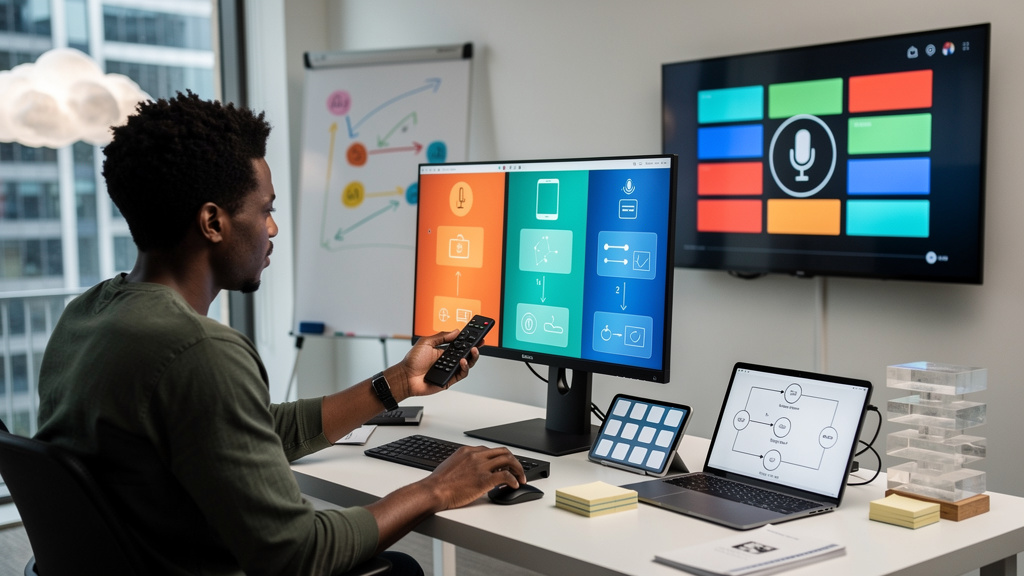
The Fire TV news this month got framed as a reason to switch ecosystems. I have been running both Fire TV and Google TV in my living room for two years and the framing is wrong. The free upgrade to Fire TV’s voice assistant is real. The interesting parts of the upgrade are not free. The bigger story is the operating system Amazon is putting on new Fire TV hardware, which closes the door on the apps and launchers that made Fire TV tolerable for tinkerers in the first place.
Here is what landed, what stayed behind the paywall, and what to actually do this month.
What changed for casual voice users
The headline capability is conversational show search. The new assistant on supported Fire TV hardware can find a movie by mood, by a half-remembered plot, or by an actor you liked once. That used to cost $20 a month through the Alexa+ Standard Plan. It now ships without a subscription on Fire TV Sticks, the Fire TV Cube, and certain newer Amazon and partner TVs in the US. If your only ask of the TV is “find me something to watch,” this is a real upgrade.
What did not change is everything else the paid tier used to unlock. The phrase “goodnight” that used to dim the lights, lock the door, and switch to a sleep timer in one go? Still paywalled. The Ring clip summary feature that reads out what your doorbell saw ten minutes ago? Still gated. Advanced Home Modes for away, sleep, and movie night? Same paywall as last month.
So the conversational part is free. The automation layer is not. Households that mostly ask their TV for show recommendations are getting a real upgrade. Households that lean on the TV as a kitchen command center are getting the same paywall they had last month.
- Show search by mood or actor now works without a subscription
- Multi-step Routines still require Prime or a paid Alexa+ tier
- Ring clip summaries and advanced Home Modes stay gated
- Casual voice users get a real upgrade
- Smart home power users get the same paywall as before
Why Google TV still wins in the living room
The conversational search comparison between Alexa+ and Gemini is close enough that the deciding factor is everything around it. Google TV’s Gemini integration builds its interface for the screen you are sitting in front of. Need to dim the lights mid-movie? A slider pops up on the TV. Picking the next show? Tap-friendly cards and watchlists sit right there. Want the weather or the now-playing track? An ambient panel shows it. The whole thing assumes you have a remote in your hand.
Alexa+ on Fire TV still treats voice as the primary input. Visual feedback exists but is thinner. Most paths assume you will keep talking. Anyone who shares the living room with people who would rather not speak to the TV notices the gap immediately. A non-technical guest who picks up a Google TV remote usually figures out the suggestions and ambient cards by tapping. The same guest on Fire TV usually has to speak.
The decisive test in my living room was a houseguest who is not technical at all. Hand the remote to that guest on each platform and time how long it takes them to find something to watch without help. Google TV wins by a wide margin because the interface is visible. Fire TV loses because the interface is mostly audio.
- Gemini builds a TV-first interface with sliders, cards, and ambient displays
- Alexa+ still leans on talking at the TV over tapping through menus
- Google TV ambient mode surfaces weather, photos, and current playback at a glance
- Fire TV’s ambient screens are quieter and lean more on ads
- A shared living room TV works better when both guests and residents can tap
VegaOS is the bigger story
Even if the free upgrade were twice as good, the Fire TV hardware story is heading somewhere that should make any tinkerer pause. New Amazon TV hardware is moving from Fire OS to VegaOS, an in-house operating system that does not run Android. VegaOS blocks the standard Android install packages from loading on those devices. That means no sideloading, no third-party launchers, and no way to put an app back if Amazon removes it.
Google TV runs Android TV underneath and still allows sideloaded apps on most certified devices. You can replace the stock launcher if the skin annoys you. You can install a Plex server without Google’s permission. You can drop in Wolf Launcher or any of a dozen replacement home screens. That kind of escape hatch is invisible until the day Amazon pulls an app you depend on and there is no way to bring it back.
- VegaOS replaces Fire OS on new Amazon TV hardware
- Standard Android install packages will not load on VegaOS devices
- Third-party launchers like Wolf Launcher are blocked on VegaOS
- Google TV still allows sideloading on most certified hardware
- If you care about long-term control of the device, VegaOS is a red flag
The question is not whether VegaOS is technically polished. The question is whether you want your TV to be a closed platform you do not control.
What to actually do this week
If you already own a Fire TV and you mostly ask your TV for show recommendations, take the free upgrade. You will not pay anything new, and conversational search is a real improvement. Skip the Alexa+ Standard Plan unless multi-step Routines or Ring clip summaries are part of your daily routine.
If you are shopping for a new TV or streaming box, I would still pick Google TV for most people. Gemini’s on-screen controls, the ambient display, and the option to sideload apps add up to a more useful screen. Hold off on buying any new Amazon TV hardware until VegaOS reviews land and the third-party app picture becomes clearer.
- Take the free upgrade if you already own a supported Fire TV
- Buy Google TV if you are starting from scratch
- Skip the paid Alexa+ tier unless you need Routines or Ring summaries
- Wait for VegaOS reviews before committing to new Amazon TV hardware
- Pair any TV with a cheap universal remote if voice control annoys your household
Trade-offs
Google TV is not free in either cost or friction. Some apps land in the Amazon Appstore first or exclusively, and on Google TV you wait weeks or months for the Android TV version. Live TV integrations with services like Sling TV or Hulu Plus Live TV are sometimes smoother on Fire TV because Amazon has more direct deals with those providers. Anybody whose household watches a lot of live sports through a specific app should check that app’s Google TV status before buying anything.
Sideloading freedom is also not free in maintenance. A custom launcher on Google TV gives you control but also means you own the bugs when the launcher breaks after an OS update. Most users will not want that responsibility. If your tolerance for “the smart home has stopped working again” is low, the simpler Google TV defaults might suit you better than the maximum-freedom path.
In our case, the Google TV Chromecast lives in the living room and the Fire TV Stick lives in the bedroom. Both have been quiet for over a year and have only needed software updates. Your math will be different if you already live inside the Amazon ecosystem with Ring, Eero, and Echo devices everywhere. In that case the free Alexa+ actually saves you real money, and the closed garden is the price you already chose to pay.
If you already own a Fire TV and want better voice search, take the free upgrade and skip the paid plan. If you are shopping for a new TV or streaming box, Google TV is still the platform I would put in a friend’s living room.
What I would tell past me
If I could send a message back to the version of me that almost bought a new Fire TV based on the Alexa+ announcement, I would say three things.
- Free with a paywall attached is not the same as free. Check what is still gated before you call the rollout a reason to switch.
- Try the assistant without talking to it. Hand the remote to a guest and see which platform they figure out without help. That test tells you more than any spec sheet.
- Watch the operating system, not just the assistant. VegaOS is a bigger story than Alexa+, and it will outlive this news cycle.
Voice assistants on TVs live or die on how much they get out of your way. Alexa+ free is a real upgrade, but Google TV is still the platform I would put in a friend’s living room.